
Every exam season it happens the same way: a notification, a result or an admit card goes live, and lakhs of people search for it within minutes. The portals that win that traffic are not the ones with the fanciest design. They are the ones that publish fast, structure every page the same way, and give Google exactly the markup it asks for.
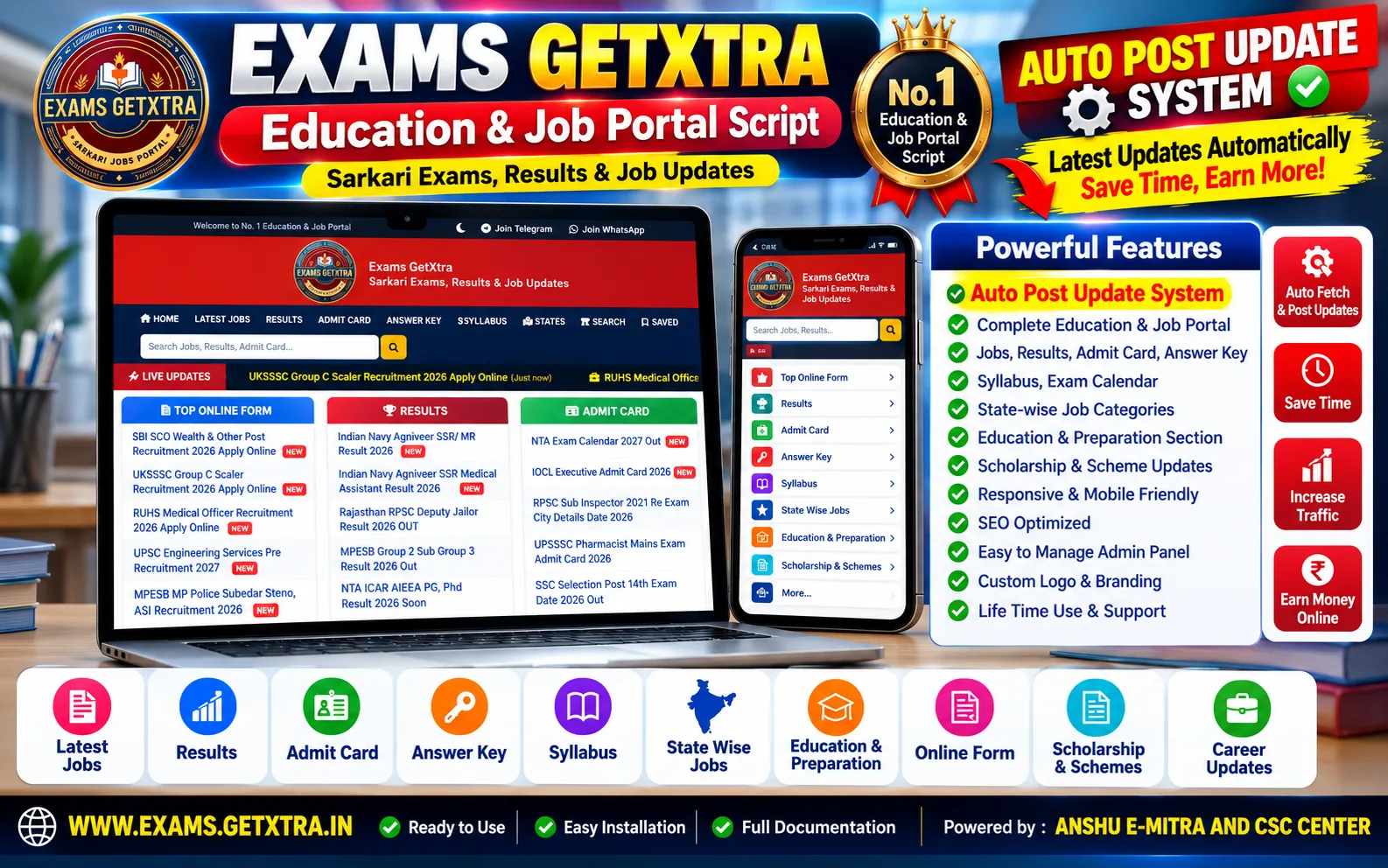
The Sarkari Exam & Result Portal script is a complete, ready-to-run government job website built for exactly that. This article walks through what it does, what it needs, how to install it — and, just as important, what it does not include, so you know precisely what you are getting.
What it is, in one paragraph
A production-ready Indian govt-job portal for latest vacancies, results, admit cards, answer keys and syllabus updates. It is written in plain PHP 8 and MySQL — no framework and no Composer — so it uploads to any shared cPanel or LiteSpeed host and runs. Under the hood there are 134 files (about 36,800 lines of PHP), 33 database tables and 34 admin screens, and you get the full source code: readable, editable, nothing encoded or obfuscated.
Built for Google Jobs from day one
Vacancy pages output valid JobPosting structured data: title, description, datePosted, hiringOrganization, jobLocation, validThrough, identifier and employmentType. When a vacancy's last date has passed, the markup is dropped automatically — which is what Google requires for a listing to stay eligible for Google Jobs.
JobPosting is one of 22 schema.org types the script emits, including FAQPage, HowTo, BreadcrumbList, Article, Event and the WebSite search box for sitelinks. You never have to write a line of JSON-LD yourself.
Auto post: your sources, cleaned and structured
Publishing first matters in this niche, so the script ships with a configurable auto post pipeline for the sources you add:
- Per-source category mapping — every source lands in the right section of your site.
- Timeouts, retry limits, rate limiting and response caching, so a slow source never slows your site down and is never hammered.
- Duplicate detection by content fingerprint — the same notification arriving twice becomes one post, not two.
- A content cleaner that strips other sites' branding, ad units and dead links before anything is saved.
- Auto-taggers that assign tags and Indian states from the text of each post.
- Structured fields — important dates, application fee, age limit, vacancy details, how to apply and important links — kept in their own columns, so every page renders as a clean, scannable layout instead of a wall of text.
The auto post is optional: you can just as well write every post by hand, and schedule posts to go live at a set time.
An admin panel made for daily publishing
Running a result website is a daily routine, and the 34 admin screens are built around it:
- Posts with revisions, trash and restore, scheduled publishing, signed preview links for unpublished drafts and one-click clone.
- Categories, tags and all 37 Indian states, with bulk re-tagging.
- A redirects manager, so renaming a slug never leaves a 404 behind.
- Comment moderation, and a contact inbox that replies over SMTP.
- Cron manager, auto post analytics, a sitemap report, an SEO dashboard and site health checks.
- An audit log of every admin action, and user accounts with roles — useful as soon as more than one person publishes.
SEO that is already done for you
- Seven XML sitemaps: pages, posts, news, categories, tags, states and images.
- Canonical URLs built from one configured address, so tracking parameters,
.htmland trailing-slash variants all consolidate into one page. - A meta title and description for every post, with a sensible generated fallback.
- IndexNow submission for Bing, an RSS feed and OpenSearch.
- All twelve HTTP error pages return the correct status code and carry
noindex. - Exactly one
<h1>per page — a small detail that many portals get wrong.
Planning the site itself — what to cover, hosting, AdSense? Our complete guide to starting a government job portal covers the strategy side.
PWA and web push: bring readers back on result day
The portal installs on a phone like an app: a generated manifest, a service worker, offline handling and an install prompt whose timing you choose in the admin panel. With web push over VAPID you can notify subscribers the moment a result or admit card is out, from a send screen that keeps a delivery history. In a niche that lives on repeat visits, this may be the most valuable feature on the list.
Security and analytics, built in
- CSRF tokens on every action that changes data, hardened sessions with an idle timeout, and login rate limiting.
- An upload guard that refuses executable and SVG files, plus an
.htaccessthat stops anything in the uploads folder from running as PHP. - HSTS, CSP, X-Frame-Options, X-Content-Type-Options, Referrer-Policy and Permissions-Policy shipped in
.htaccess; admin pages are never cached. - First-party analytics with per-post views and state-wise reports — no third-party script needed, though a Google Analytics ID can be added in settings.
- Dark mode, and a responsive layout down to 360 px wide screens.
Server requirements
- PHP 8.1 or newer (tested on 8.2, 8.3 and 8.4) and MySQL 8.0+ or MariaDB 10.4+.
- PHP extensions pdo_mysql, mbstring, curl, json and openssl; gd, zip and intl are optional.
- Apache or LiteSpeed with mod_rewrite and AllowOverride All — ordinary cPanel hosting is fine.
- About 50 MB of disk space, and write access for the installer and the uploads folder.
- One cron job — once a day is enough to start.
- Outbound HTTPS, if you use the auto post.
Installation in about 15 minutes
- Buy the script: the download link and your licence key appear on screen and arrive by email.
- In cPanel, create a MySQL database and user, then upload and extract the ZIP in your domain's folder.
- Open
/install/in your browser and follow the five steps: requirements check, database connection test, schema import, admin account and site details, confirm. - Enter your licence key when the installer asks for it. It writes
.envfor you with a fresh cron secret and IndexNow key, then locks itself — it refuses to run again on an installed site. - Add the cron job, set up your categories and sources, and publish your first posts.
Prefer not to do it yourself? Choose the installation service at checkout and we install, configure and test it on your hosting within 24–48 hours.
Licence, updates and support
- A Regular licence covers one domain, plus localhost and a staging subdomain for testing.
- Building sites for clients? The Extended licence covers client work — the licence comparison is on the script page.
- 6 months of support and 12 months of free updates are included: when a new version ships, it is available in your account straight away.
- If the script will not install, or does not deliver an advertised feature, and we cannot fix it within 7 days, you get a full refund — see the refund policy.
What is not included — read this before buying
No posts, and no auto post sources. A fresh install starts empty. The auto post source rows exist so that the category mapping is ready, but every URL is blank and every row is switched off: you point them at sources you have the right to use, and you write or source your own content.
That is deliberate. The facts in a government notification — dates, vacancy counts, eligibility, fees and official links — are public information, but another portal's wording belongs to them. The script gives you the machinery; the content is yours to source lawfully. Original, well-structured posts are also what ranks.
Frequently asked questions
Can I see it working before I buy?
Yes. The live demo runs the same code, and its admin panel is open too — the demo login is on the script page.
Do I need to know how to code?
No. If you can create a database in cPanel and upload a ZIP, the five-step installer does the rest. Because it is plain PHP with readable source, a developer can still customise anything later.
Will it run on cheap shared hosting?
Yes — that is what it was built for: no framework and no Composer. For result days, when traffic arrives in sudden spikes, pick a host with decent burst capacity.
Is the source code encrypted?
No. You get the complete, readable PHP source — no ionCube and no obfuscation.
Get started
Look through the screenshots, the full feature list and the licence options on the Sarkari Exam & Result Portal script page, or try the live demo first. A question before you buy? Ask us — we are happy to help you decide.