School ERP — Complete PHP School Management System
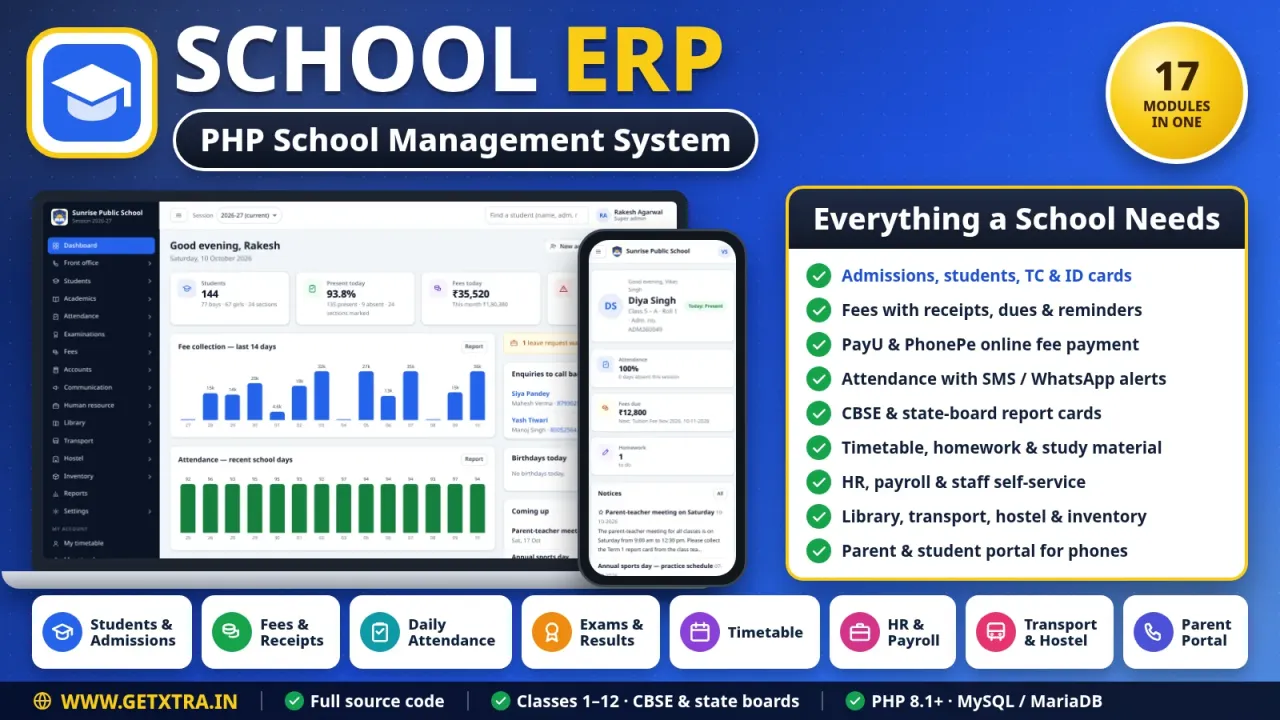
Run a whole school from admission to report card: fees with printed receipts and online payment, attendance with parent alerts, CBSE or state-board results, HR, payroll and a parent portal.
·v1.3.0·Plain PHP 8.1+ (no framework, no Composer), MySQL / MariaDB, vanilla JavaScript, print-ready HTML and CSS
demo.school.getxtra.in
1 / 14
A complete school management system in plain PHP 8.1+ and MySQL for one school, classes 1 to 12 with optional pre-primary. Admissions, fees with receipts, dues, reminders and PayU or PhonePe payments, attendance with SMS and WhatsApp alerts, exams with CBSE or state-board report cards, timetable, homework, HR and payroll, library, transport, hostel, inventory and a parent and student portal for phones. A web installer sets it up on shared hosting in minutes.
Features
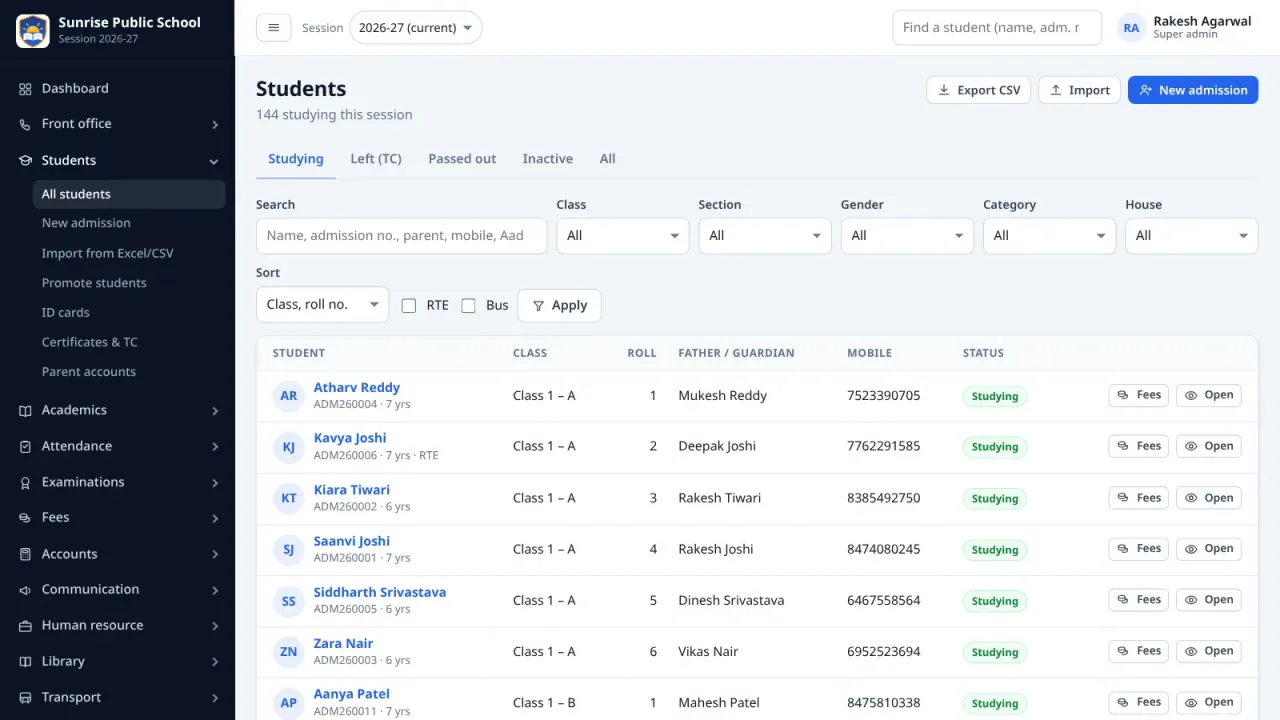
Admissions with photo, documents and parent logins (brothers and sisters share one)
Student import from Excel or CSV, with a check run and duplicate detection
Fee heads, a fee structure per class, concessions and a late-payment fine
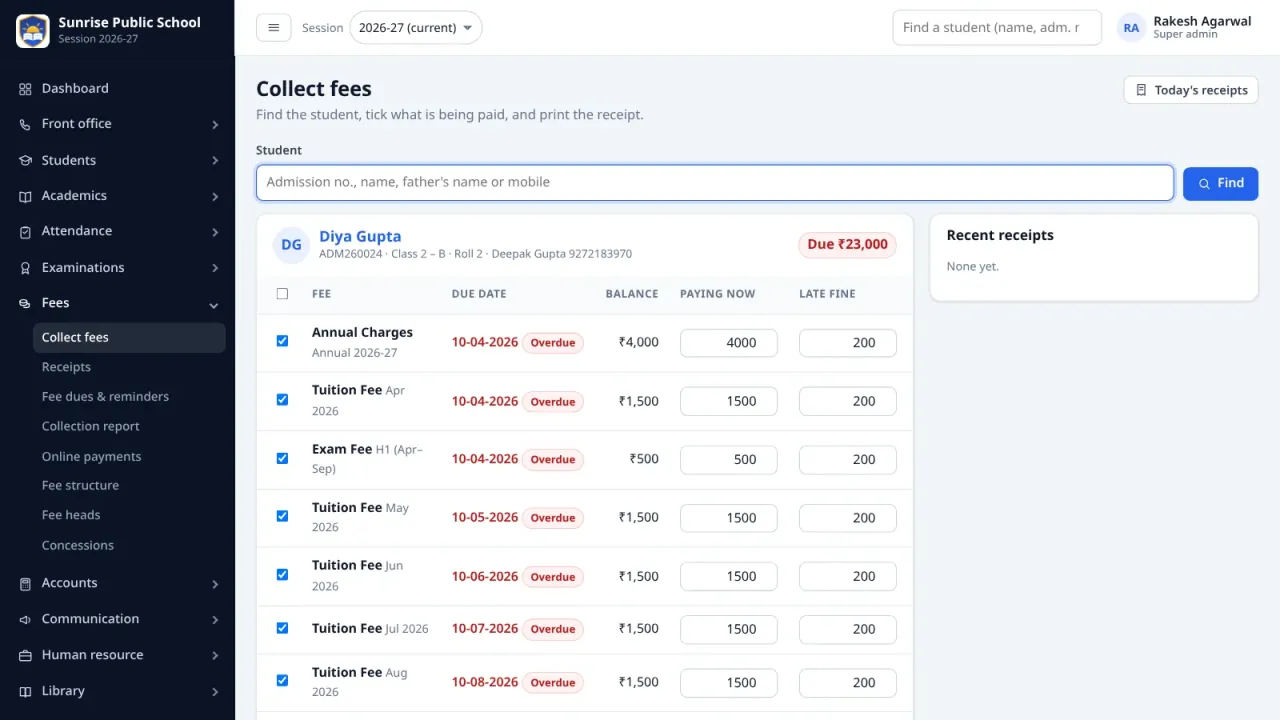
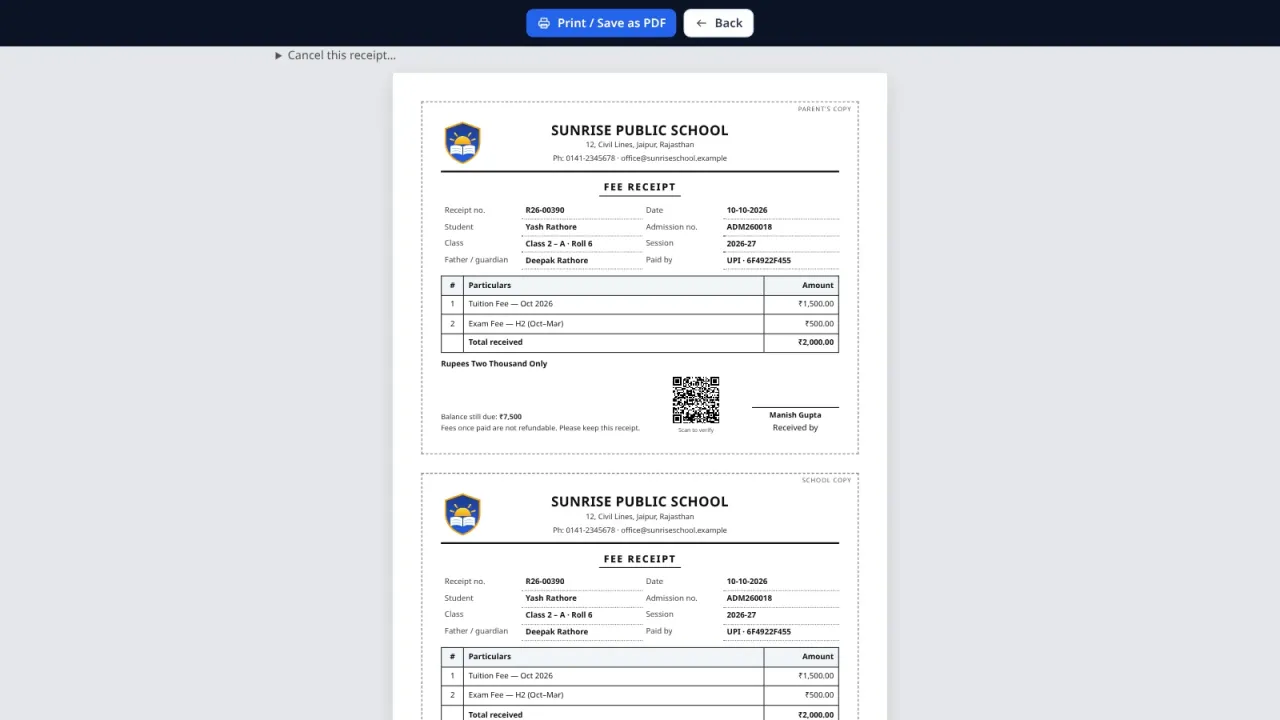
Fee collection with printed receipts (parent and school copy), dues and reminders
Online fee payment by PayU or PhonePe, with the receipt made automatically
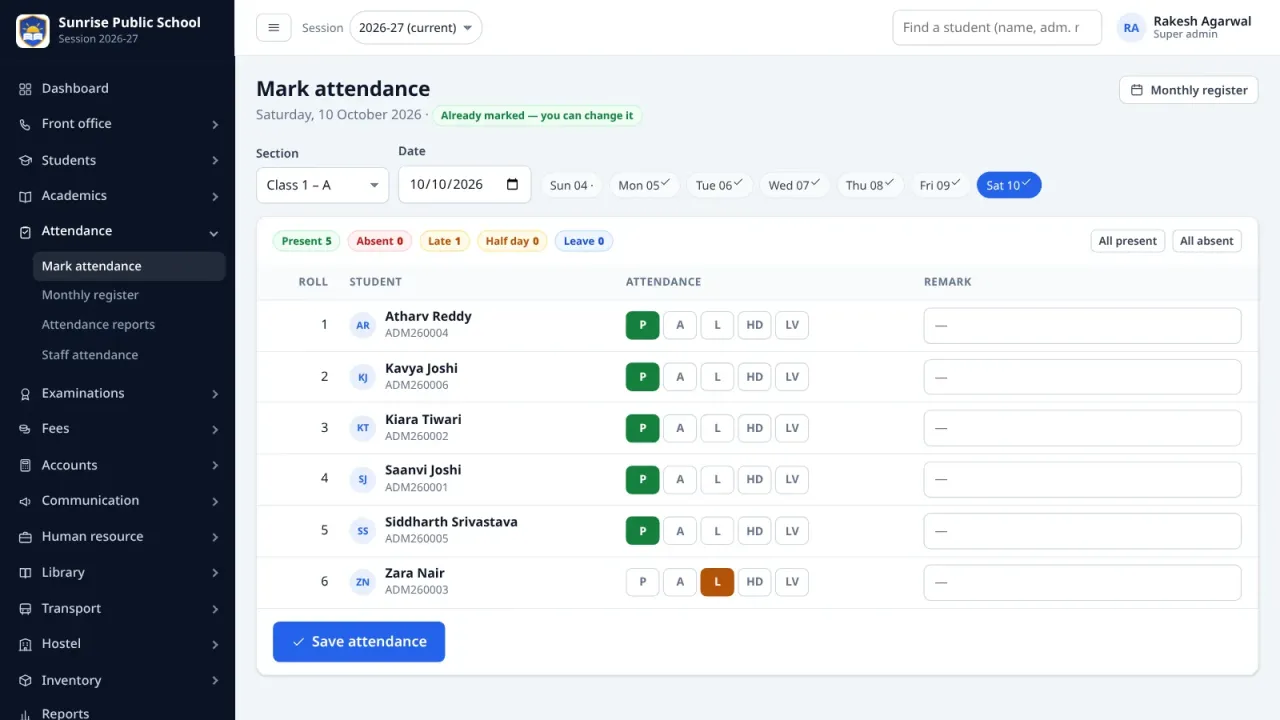
Daily attendance with SMS and WhatsApp alerts to the parents of absent students
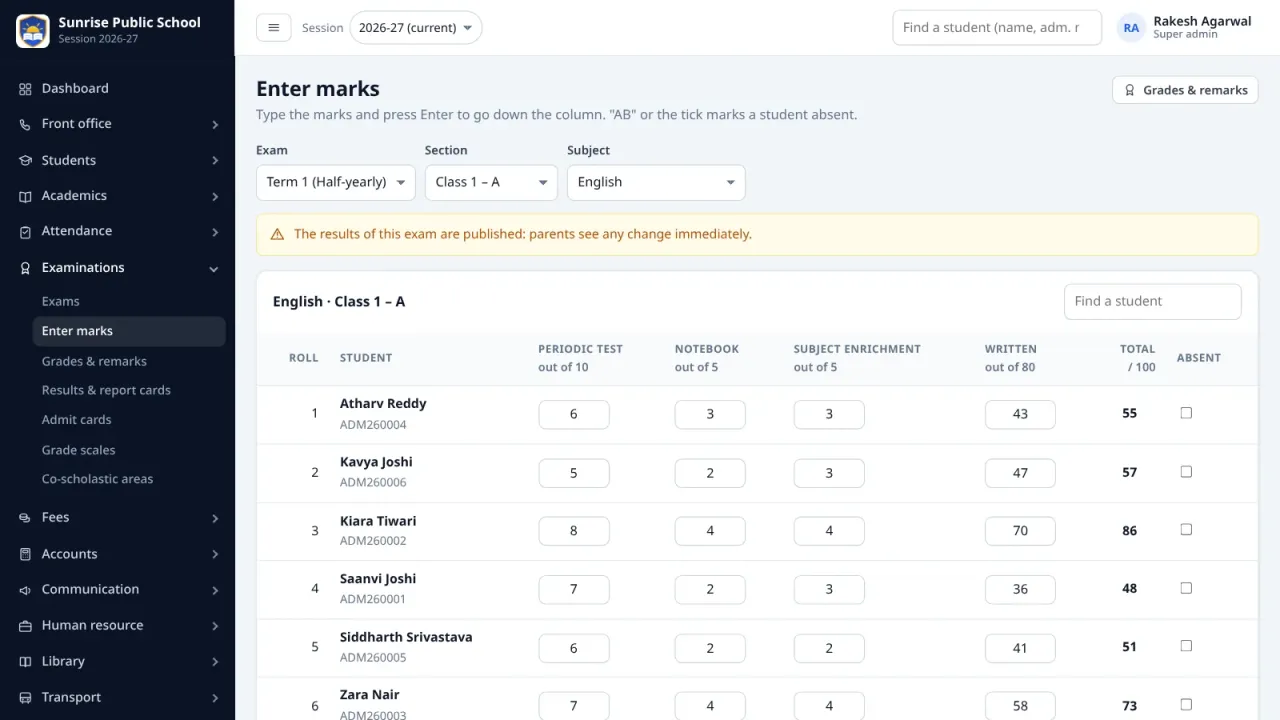
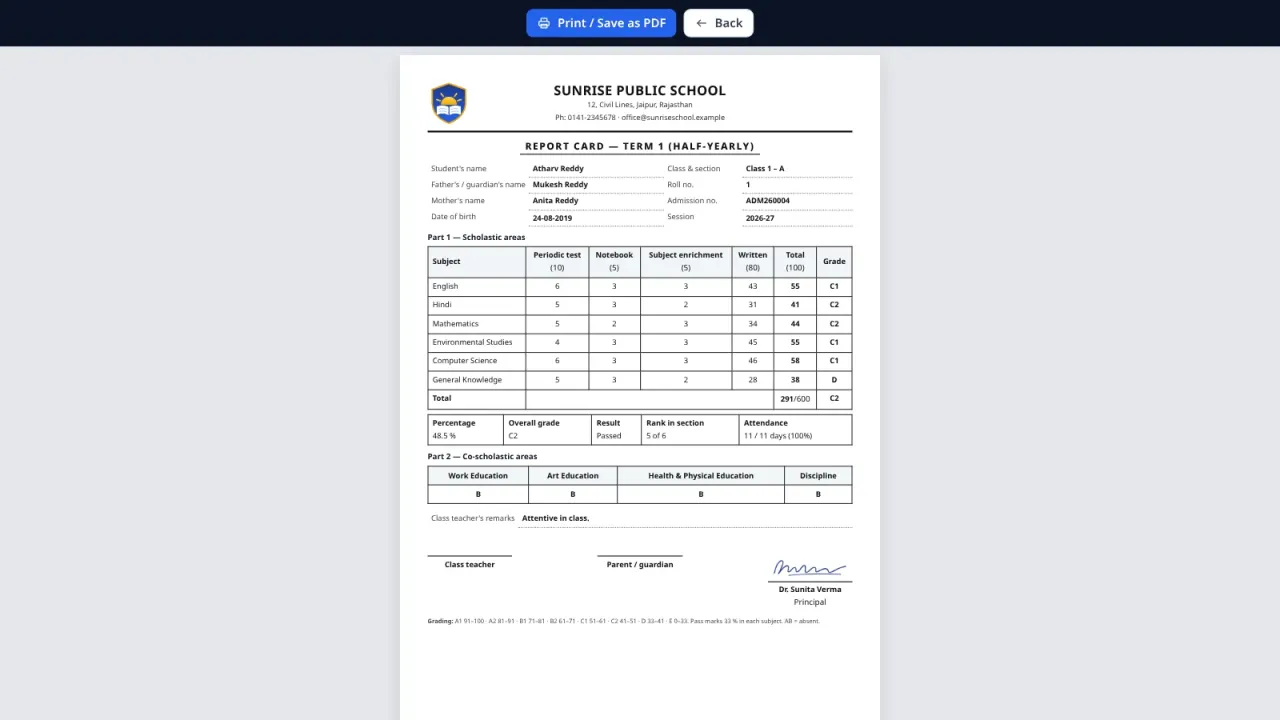
Exams, marks entry and report cards in the CBSE or the state-board format
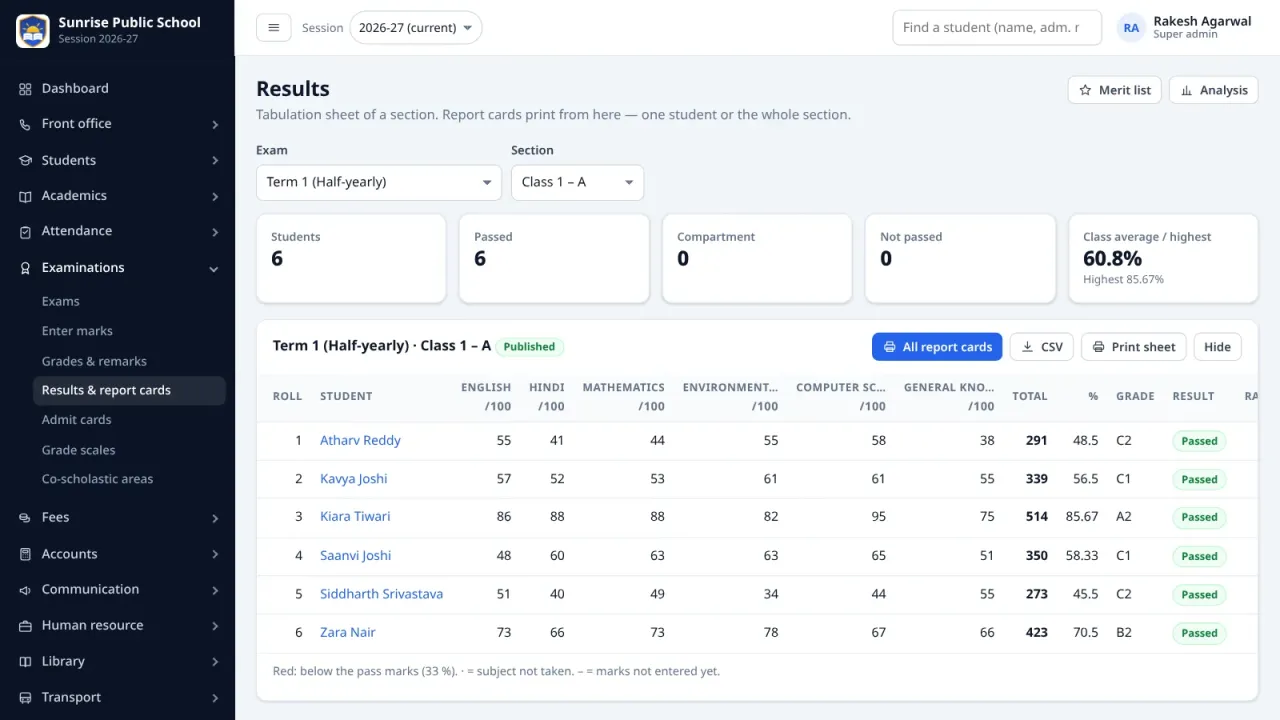
Results with rank, merit list, subject analysis and admit cards
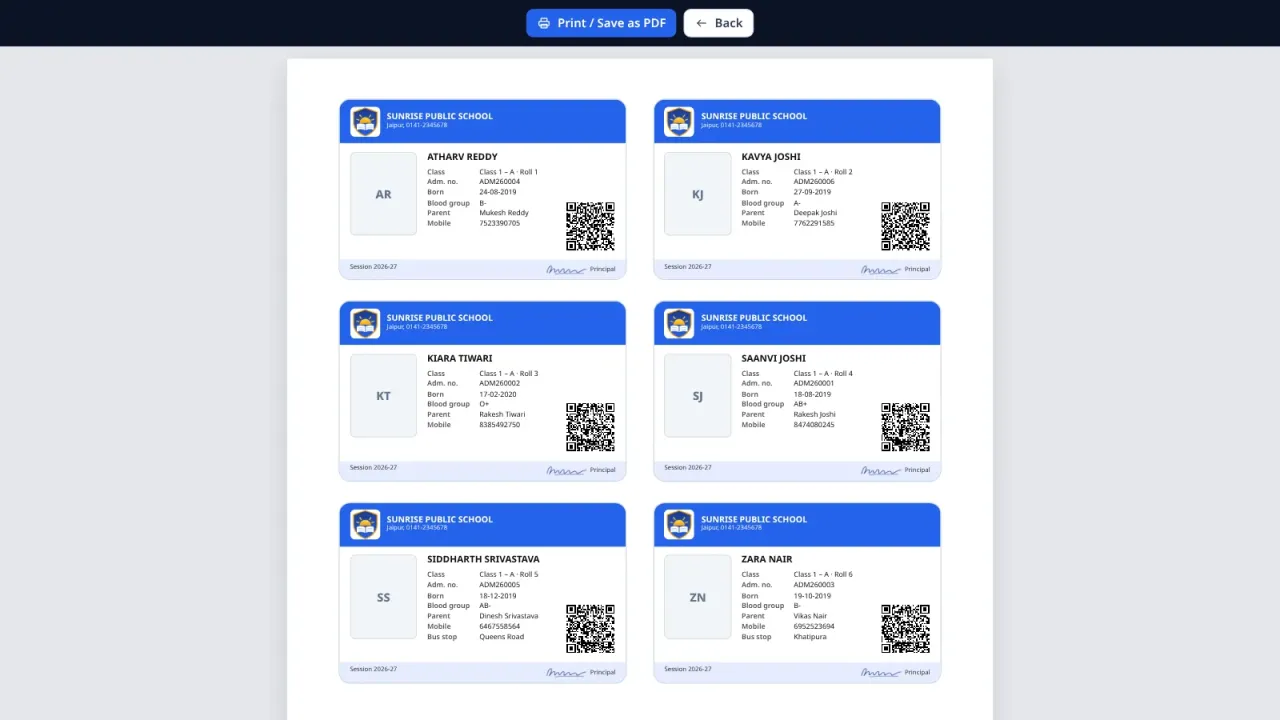
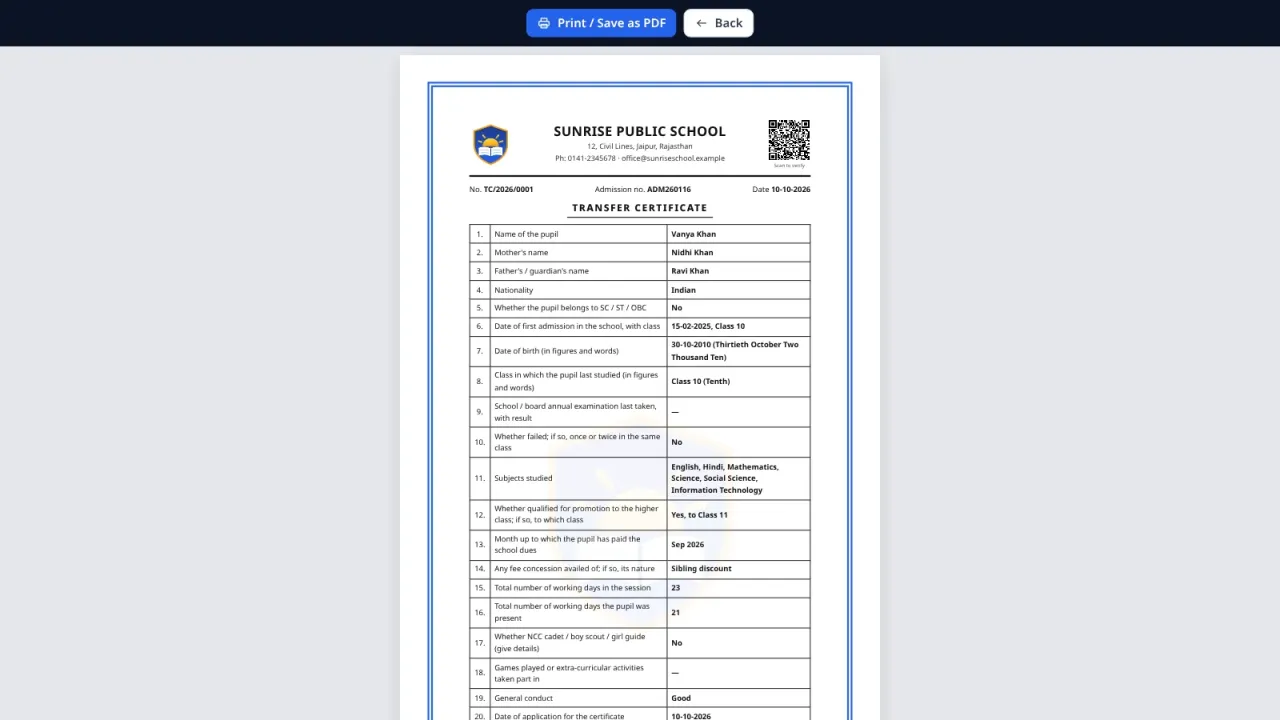
Transfer certificate, other certificates and ID cards with a QR code anyone can verify
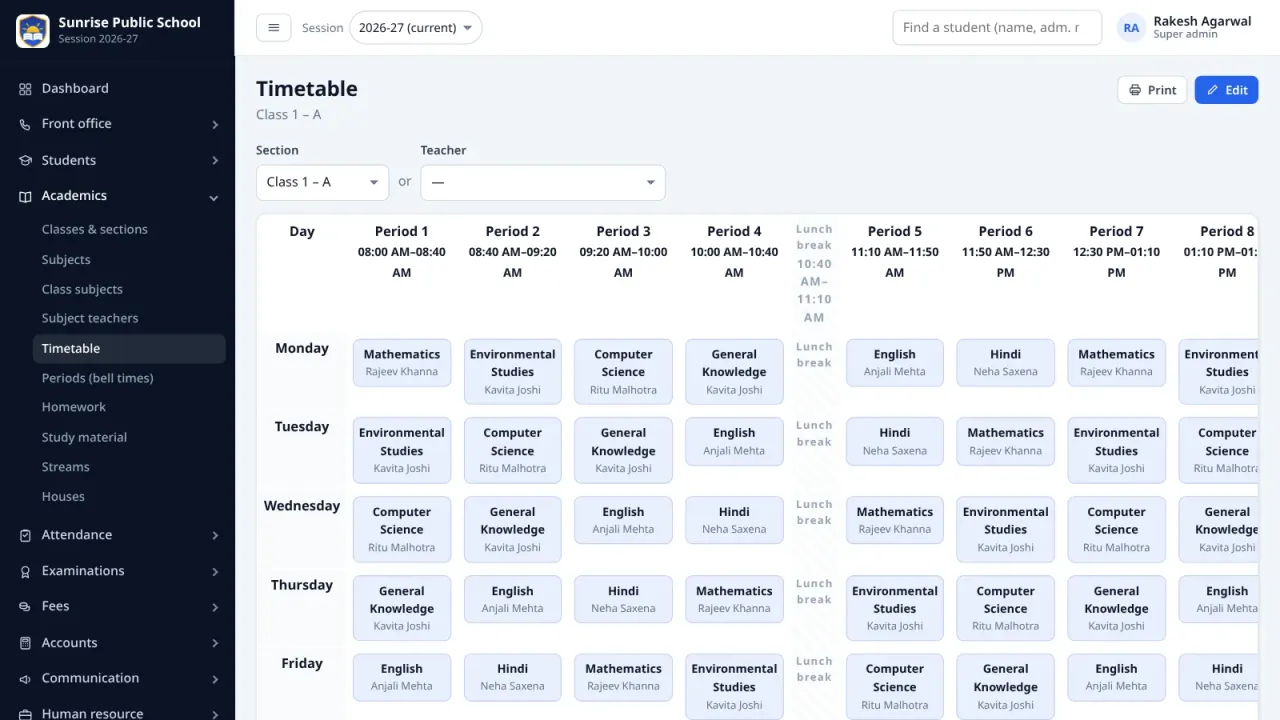
Timetable with clash warnings, homework and study material
Staff, leave, salary setup, payroll and payslips, with self-service for every staff member
Library, transport, hostel and inventory modules
Accounts: income, expenses and fee collection reports
Notice board, school calendar and messages by SMS, WhatsApp or email
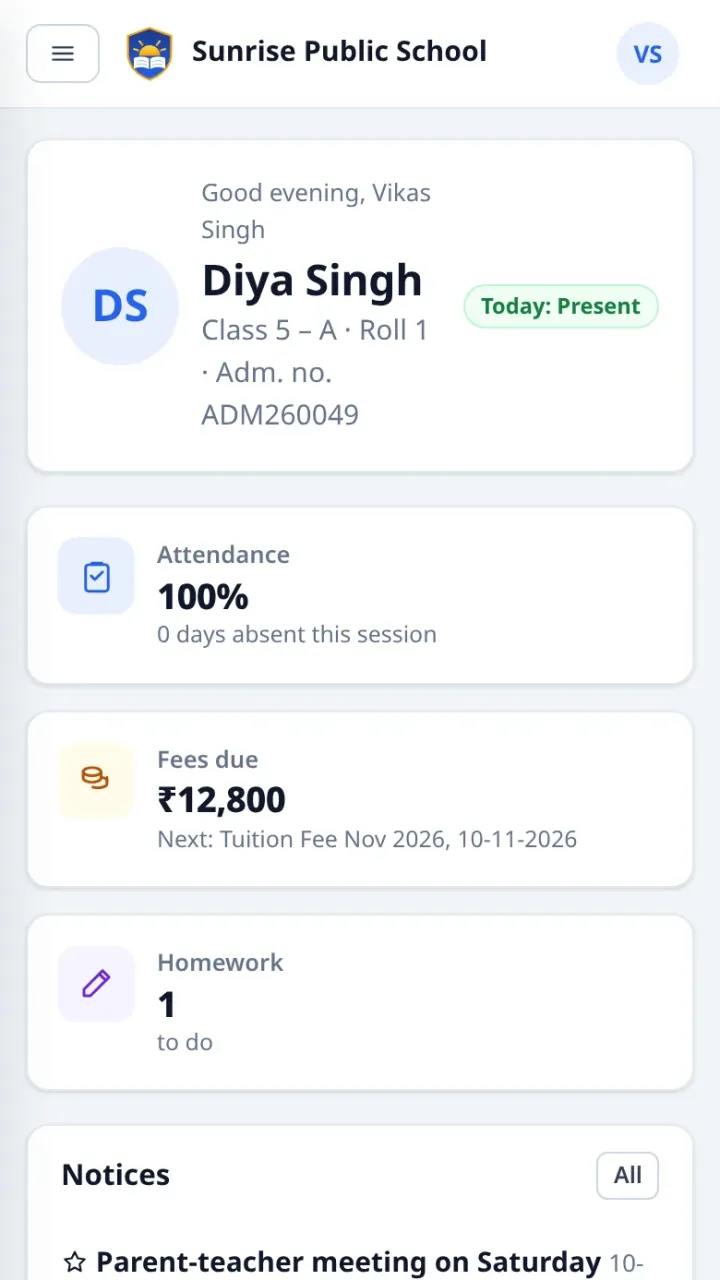
Parent and student portal made for phones
The school's own website: banner slider, our teachers, achievements, what parents say, questions and answers, photo gallery, notices, mandatory public disclosure documents, video, map and an admission enquiry form
Roles and permissions: a teacher sees only their own class and subjects
Promotion to the new session, daily backups and an activity log
One-click updates from this store, with a digital signature check, a backup first and Undo
Web installer with optional demo data; runs on shared hosting
What this is
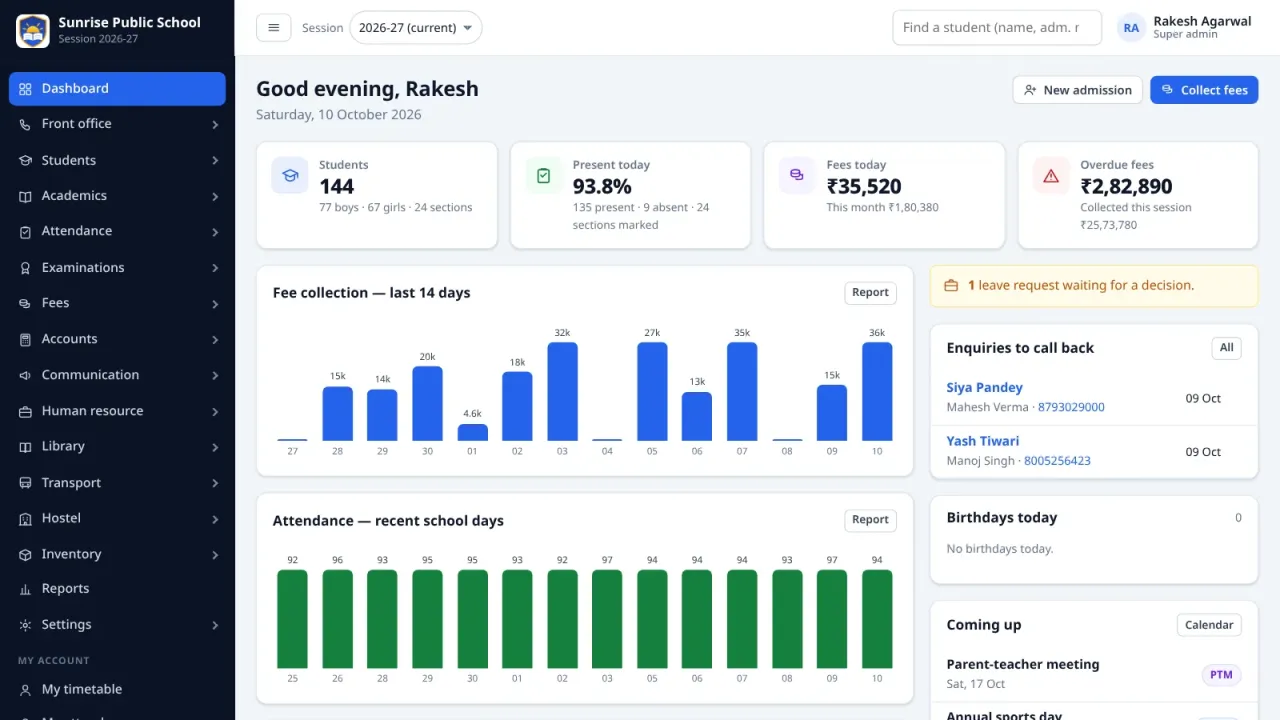
School ERP is a complete management system for one school, classes 1 to 12, with pre-primary as an option. The office admits students and collects fees, teachers mark attendance and enter marks, the principal sees the whole school on one dashboard, and parents follow their child on the phone.
It is plain PHP and MySQL with no framework and no Composer, so it runs on ordinary shared hosting. Upload the ZIP, open the installer, and the school is ready in about five minutes. With the demo data you get a sample school with 144 students to try everything first.
Results the way your board wants them
CBSE: Term 1 and Term 2, written and internal assessment, 8-point grades from A1 to E, co-scholastic areas.
State board: quarterly, half-yearly and annual exams with weightage, percentage and division.
Chosen in the installer and changed later in the settings. Report cards for each exam and for the whole year, with rank, attendance and remarks.
Students and admissions
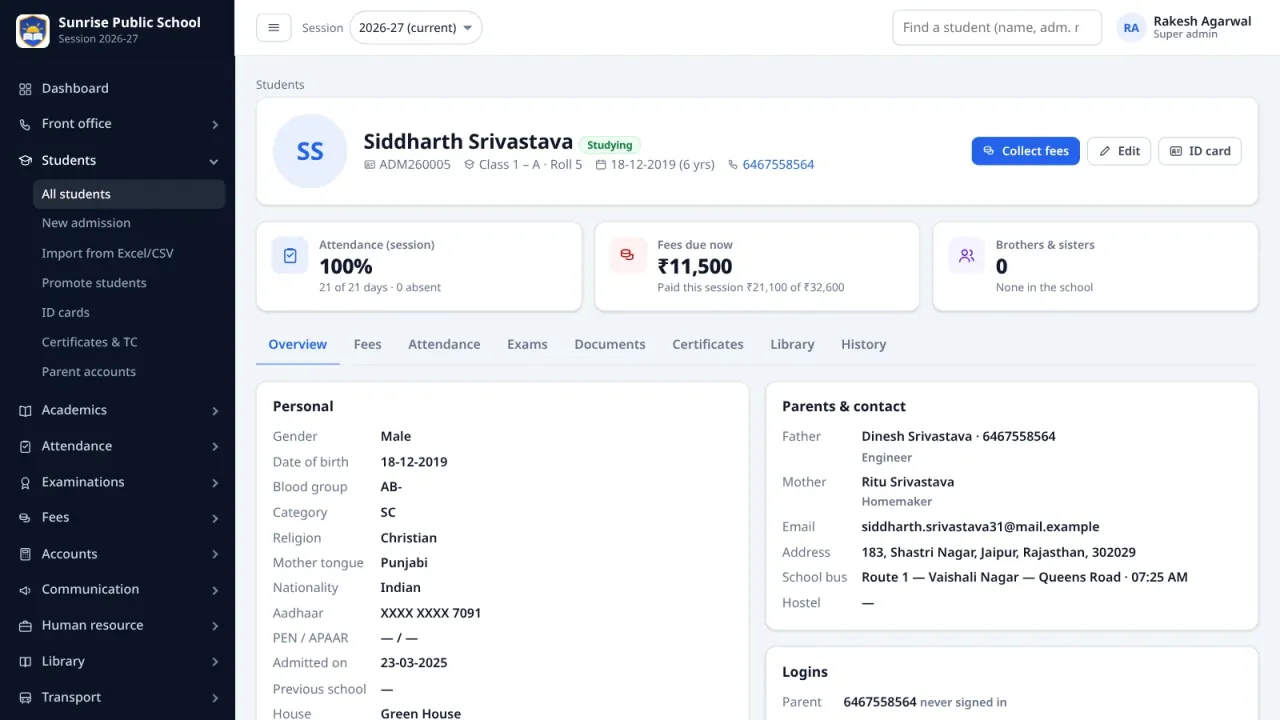
Admission with photo, documents, parents and guardians; brothers and sisters share one parent login.
Import from Excel or CSV: the file is checked first, and duplicates are found.
Roll numbers, houses, transport stop, medical notes, UDISE / PEN / APAAR fields, RTE and category.
Promotion to the next session following the final result: promote, keep back or mark as passed out.
Transfer certificate in the CBSE format, other certificates from templates, and ID cards, 8 to a sheet.
Admission enquiries with follow-ups, visitor book, phone calls, postal records, complaints and an online admission form.
Fees
Fee heads charged monthly, quarterly, twice a year, yearly or once; a fee structure per class; transport and hostel fees from the stop or room.
Concessions in percent or a fixed amount, and a late-payment fine (fixed or per day, with grace days and a cap).
Collection at the counter with a printed receipt (parent and school copy on one sheet), amount in words, cancellation, dues list and reminders.
Online payment by PayU or PhonePe from the parent portal: the receipt is made as soon as the payment is confirmed.
Collection reports, income and expenses by account head, and an income and expense report.
Teaching and attendance
Daily attendance per section (present, absent, late, half day, leave) with SMS or WhatsApp alerts to the parents of absent students; Sundays and holidays are skipped.
Monthly attendance register, reports and staff attendance.
Exams with marks components, date sheet, admit cards, marks entry, grades and remarks, merit list and subject analysis.
Weekly timetable for classes and teachers with clash warnings, homework with attachments and study material.
Staff, library, transport, hostel
Staff directory with logins, departments, designations, leave requests, salary setup, monthly payroll and payslips.
Every staff member has their own timetable, attendance, leave and payslips.
Library with issue, return and fines; transport routes, stops and vehicles with insurance and fitness alerts; hostel rooms and allocation; inventory with low-stock alerts.
For parents and students
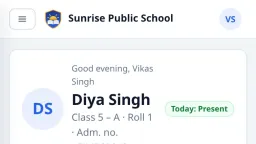
A portal made for phones: attendance, fees with online payment and receipts, results and report cards, timetable, homework, study material, notices, calendar and library books.
A parent with several children switches between them.
Receipts, certificates and ID cards carry a signed QR code, so anyone can check that a paper is genuine.
The school's own website
The site address opens the school's website, filled in under Settings → Website: a banner photo with the name and logo, Apply for admission and Sign in buttons, an announcement line and key numbers.
About the school, the principal's message with a photo, the facilities, a photo gallery, notices with their attachments and coming events, and the documents of the CBSE mandatory public disclosure.
Contact details with directions, office hours, a WhatsApp button and social links. Parts left empty stay off the page, and shared links show a preview with the banner photo.
A banner slider, our teachers (only the staff you tick), the classes offered, achievements, what parents say, questions and answers, a video and a map that load only when pressed, and a short admission enquiry form that goes straight into Front office → Enquiries. On phones a bar keeps Call, WhatsApp and Apply at hand.
Settings and safety
One-click updates from this store (Settings → Updates): the digital signature of every package is checked, the database and files are backed up first, and Undo puts the previous version back.
Roles and permissions you can edit: a teacher sees only their own class and subjects unless allowed more.
Messages by SMS or WhatsApp through the provider the school already uses (MSG91, Fast2SMS, Textlocal, Gupshup and others), and email by SMTP with a test button.
Daily database backups, an activity log, rate limits on sign-in, encrypted gateway and SMTP passwords, and CSRF protection on every form.
A dashboard that warns about anything left to set up: the installer still on the server, the cron job not running, email switched off.
Installation
Create a database, upload the ZIP to your domain or subdomain and open the installer: it checks the requirements, creates the tables, asks for the school details, the result system and the administrator, and takes the licence key. The step-by-step guide in Hinglish covers hosting, email, SMS and DLT templates, the payment gateways, the cron job, a new session, updates and common problems.
Please read before you buy
One licence is for one school on one domain. A copy on your own computer, at localhost, needs no key.
The software screens are in English. Names, addresses and notices can be written in Hindi or any other language.
SMS, WhatsApp, email and payment gateway accounts are the school's own; their charges are not included. SMS in India needs DLT-approved templates.
What is included
Full source code in plain PHP, nothing encoded
Web installer with optional demo data (a sample school with 144 students)
Installation guide in Hinglish: hosting set-up, email, SMS, payment gateways, the cron job and troubleshooting
Database upgrade tool for future versions
6 months support
12 months free updates
Server requirements
Check your hosting before you buy: the script needs everything listed here, except the items marked optional.
Requires PHP 8.1 or newer with pdo_mysql, mbstring, json, openssl and curl (gd recommended)
Database: MySQL 5.7+ or MariaDB 10.3+
Web server: Apache or LiteSpeed (any shared hosting), or Nginx
One daily cron job for reminders, backups and online-payment checks
HTTPS, which the payment gateways need
Messages need the school's own SMS / WhatsApp provider and email account (optional)
One licence is for one school on one domain
Changelog
v1.3.0current12 Oct 2026
School ERP 1.3.0.
The school website home page, fully upgraded: a new design with a banner slider (up to 5 photos with captions), a header that stays at the top, and on phones a bar with Call, WhatsApp and Apply.
New parts, each left off the page while empty: our teachers (only staff ticked Show on the school website, with photo, name, designation, department, qualification and experience — nothing else), the classes offered, achievements, what parents say, questions and answers, a video and a map that load only when pressed, and a short admission enquiry form that saves into Front office → Enquiries.
Search engines get robots.txt and a sitemap, and the banner photo comes in smaller sizes for phones. Everything is filled in under Settings → Website; the dashboard reminds the admin once.
Schools on 1.1.0 or later install it with one click (Settings → Updates).
v1.2.012 Oct 2026
School ERP 1.2.0.
The home page at the school's site address is now a full school website, filled in under Settings → Website: a banner photo, an announcement line and key numbers; about the school and the principal's message with a photo; facilities; a photo gallery; public notices with their attachments and coming events; documents for the mandatory public disclosure; an admission band; contact details with directions, office hours, a WhatsApp button and social links. A part left empty stays off the page. Shared links show a preview with the banner photo, and search engines get the school's details.
Phone photos are saved the right way up everywhere (students, staff, logo, signatures), and the website's photos carry no camera data such as the place.
Settings → Website saves every correct field even when another one is wrong, and says before saving when a file is larger than the server takes.
Schools on 1.1.0 install it with one click (Settings → Updates). Schools on 1.0.x install it by hand once: extract school-erp.zip over the old files, then open upgrade.php.
v1.1.011 Oct 2026
School ERP 1.1.0.
One-click updates (Settings → Updates): new versions from this store with a digital signature check, a backup of the database and of every replaced file, automatic rollback, Undo and an emergency undo page. Updates come for the licence's update period (12 months, or lifetime with the add-on).
A basic public home page at the school's site address (Settings → Website): logo and name, admission and sign-in buttons, an about text, public notices, upcoming events and contact details.
Schools on 1.0.x install this version by hand once: extract school-erp.zip over the old files, then open upgrade.php. From 1.1.0 on, updates take one click.
v1.0.111 Oct 2026
School ERP 1.0.1.
MIT License (LICENSE) and "Developer: ANSHU E-MITRA AND CSC CENTER" at the foot of the staff panel, the parent and student portal, the sign-in and public pages and the installer. Printed documents stay without it.
The download is now a folder school-erp/ with school-erp.zip (upload this to the hosting), how-install.md, README.md, CHANGELOG.md and LICENSE.
v1.0.011 Oct 2026
School ERP 1.0.0, the first release.
One school, classes 1 to 12: admissions, fees with receipts and PayU or PhonePe payments, attendance with parent alerts, CBSE or state-board report cards, timetable, HR and payroll, library, transport, hostel, inventory, a parent portal and a web installer with demo data.
Only verified buyers can review a script, so this section stays empty until someone who
actually bought it writes something. If that is you, the form is below.
Write a review
FAQ
How soon do I get the script after paying?
Immediately. The moment PhonePe or PayU confirms your payment (UPI, card, netbanking or wallet), the download link and licence key appear on screen and are emailed to you as well — usually within seconds.
Is the source code encrypted?
No. You get the complete, readable source code — no ionCube and no obfuscation. You can change the design, the text and the features however you like.
How many websites can I use one licence on?
A Regular licence covers one domain, plus localhost and one staging subdomain for testing. If you want to build several websites, or build sites for clients and charge them, buy an Extended licence.
Will you install it for me?
Yes. Select the installation service add-on at checkout and we will install, configure and test the script on your hosting within 24–48 hours. You can also do it yourself by following the guide — it takes about 15–20 minutes.
How long does support last?
You get 6 months of free technical support covering installation issues, bugs and configuration help. After that you can renew support if you want to, and bug fixes are always free.
Do I have to pay extra for updates?
No. You get 12 months of free updates. When a new version ships it becomes available in your account automatically — the same download link gives you the latest ZIP.
What is your refund policy?
Because this is a digital product, refunds are not possible after download. However, if the script does not deliver an advertised feature or simply will not install, and we cannot fix it within 7 days, you get a full refund. Read the details in our Refund Policy.
Can I resell the script to my clients?
Not with a Regular licence — you may not resell the script as-is. If you want to build a website for a client, buy an Extended licence, which lets you deploy it for one end client and charge them for your work.


 New
90% off
New
90% off
 92% off
 New
93% off
New
93% off