New

ChatBox — WhatsApp Bot & Marketing SaaS Script

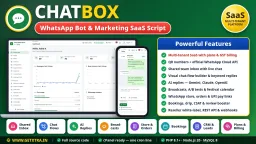
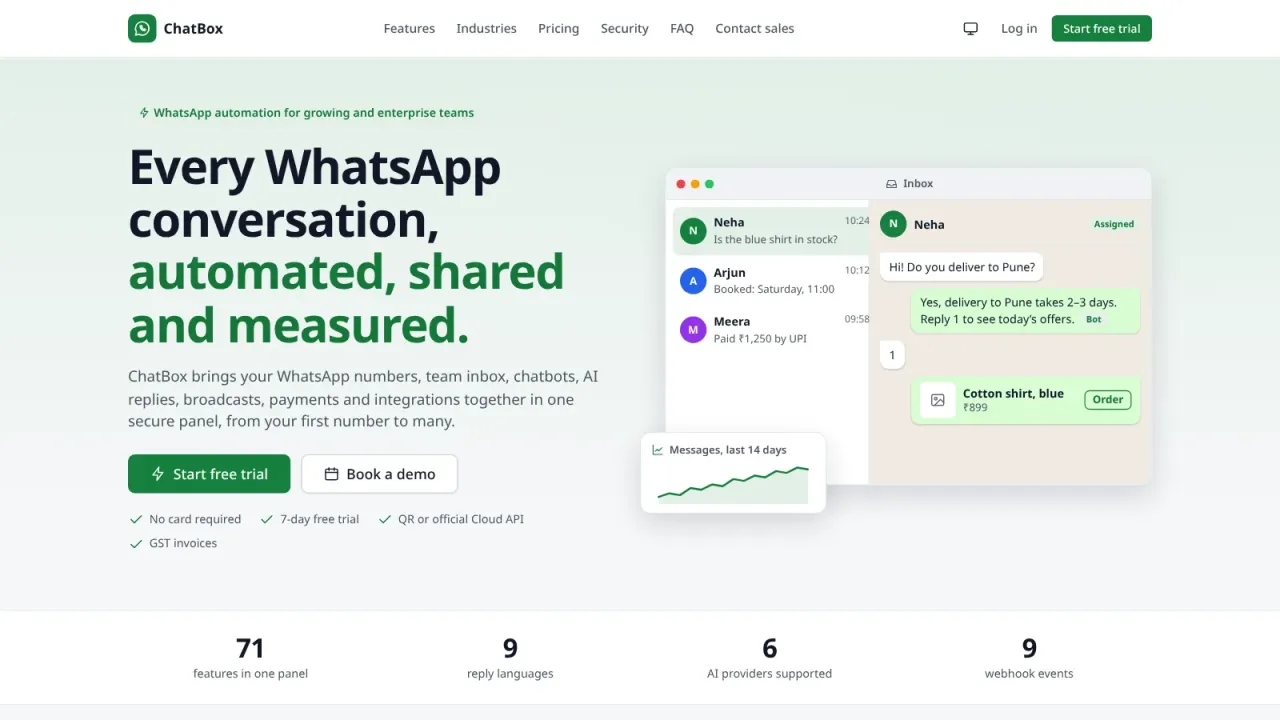
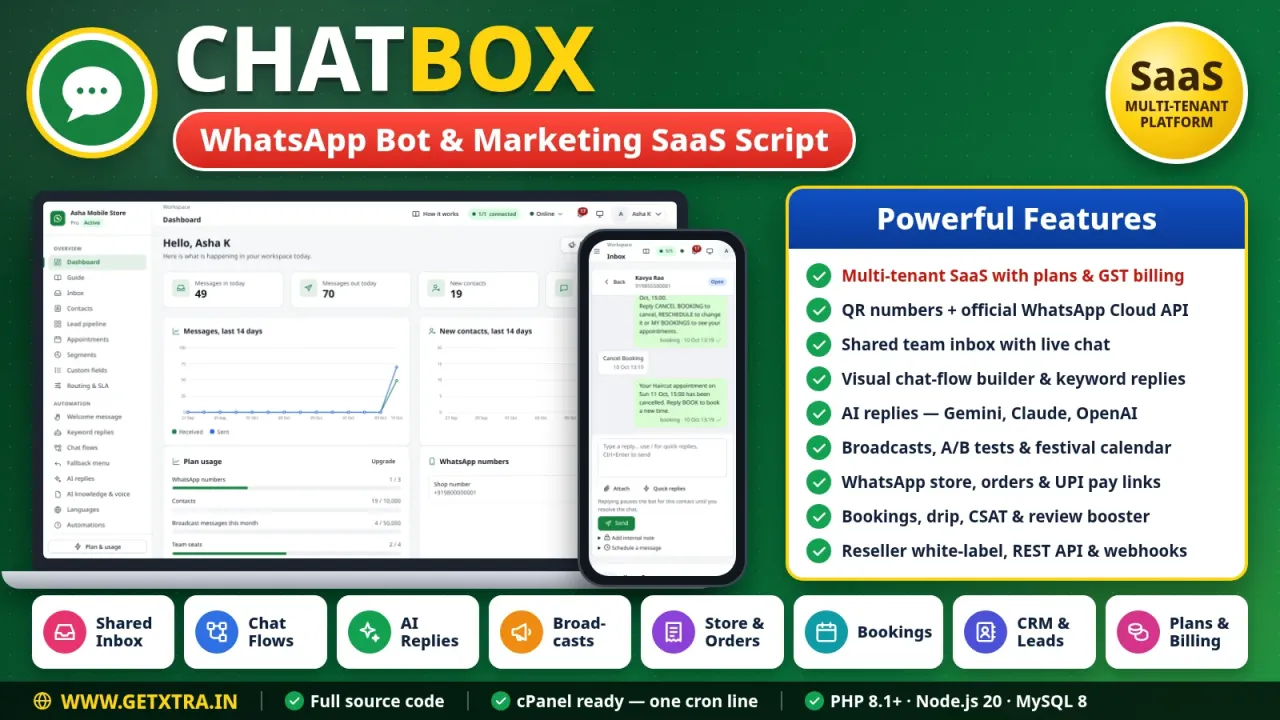
Your own WhatsApp automation SaaS: businesses sign up, pick a plan and run their WhatsApp from one panel — shared inbox, chatbots, AI replies, broadcasts, a WhatsApp store and bookings.
· v4.5.1 · Node.js 20 and PHP 8.1+, MySQL 8, Baileys (WhatsApp Web), WhatsApp Cloud API, vanilla JS, PWA
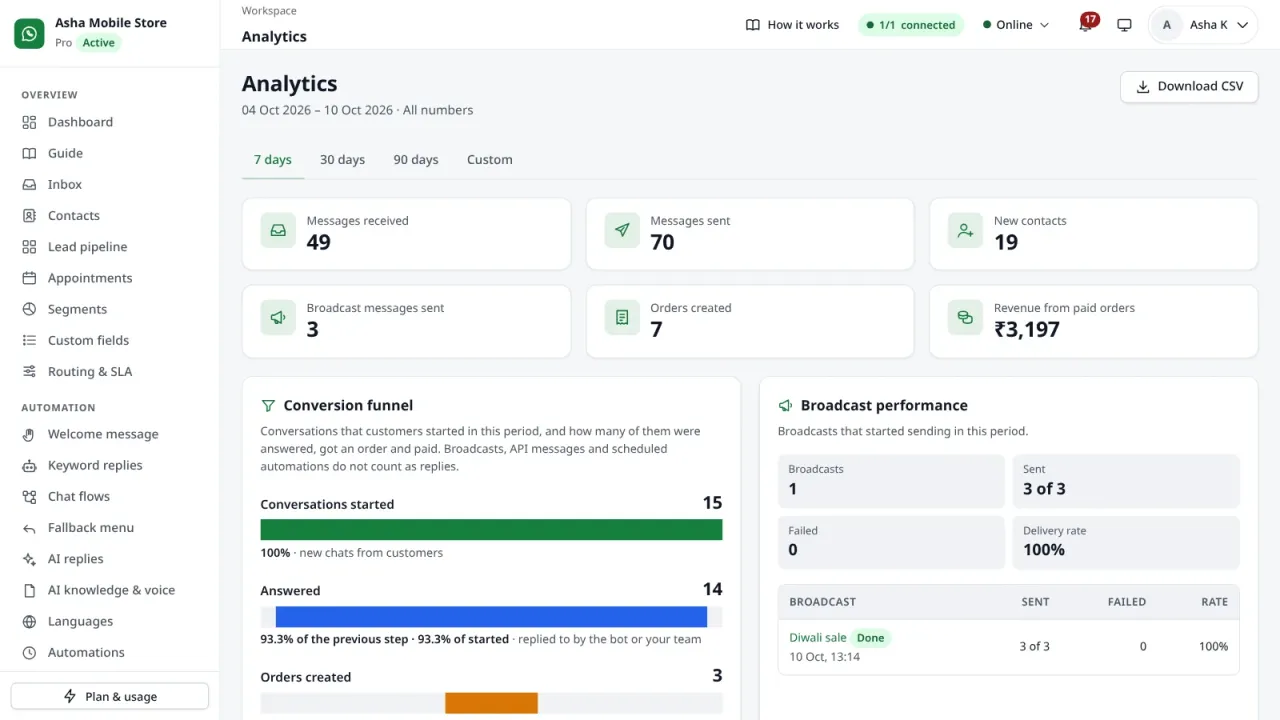
A multi-tenant WhatsApp bot platform in PHP 8 and Node.js 20 that you sell as your own SaaS. Businesses connect their numbers by QR code or the official Cloud API and get a shared inbox, a visual flow builder, AI replies, broadcasts, a WhatsApp store with UPI payment links and bookings, while you run plans, PayU and UPI billing, GST invoices, resellers and revenue from the super admin. Runs on cPanel with one cron line, or on a VPS.

Features

  • Multi-tenant SaaS: businesses sign up, pick a plan and get their own workspace
  • WhatsApp numbers by QR code or the official WhatsApp Cloud API
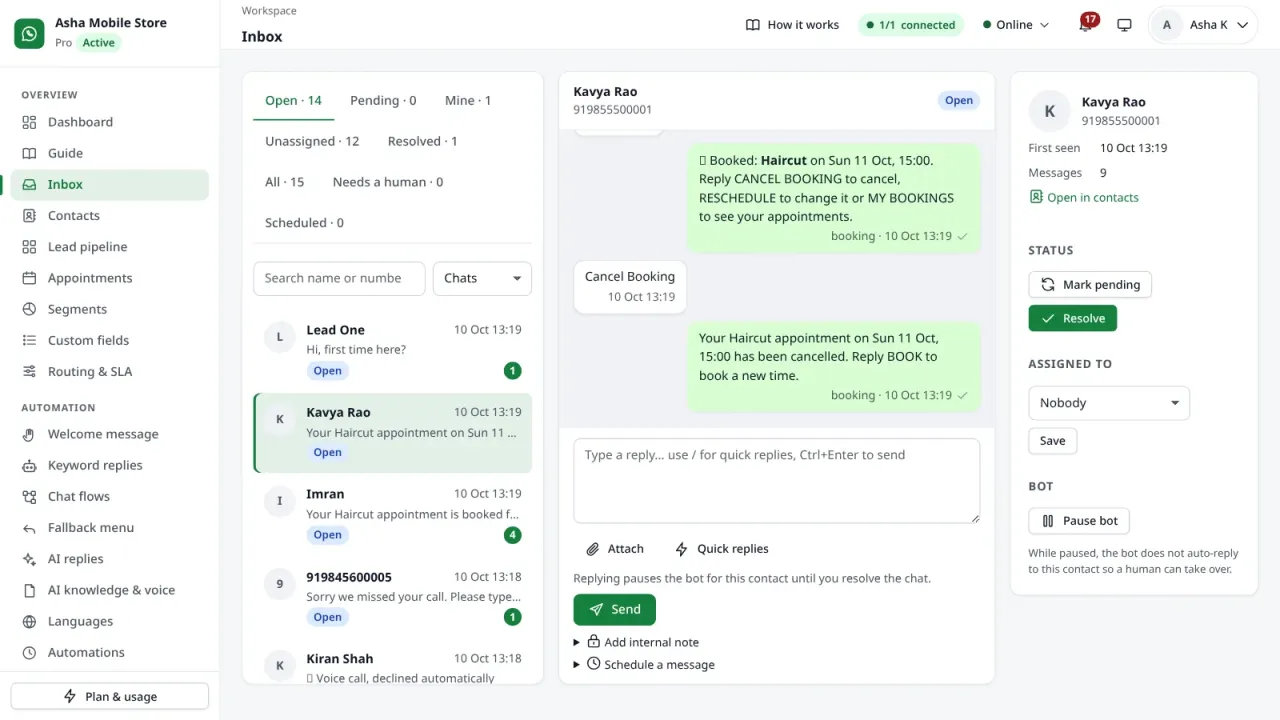
  • Shared team inbox with assignment, SLA timers, quick replies and internal notes
  • Welcome messages and keyword replies with fuzzy matching for typos and Hinglish
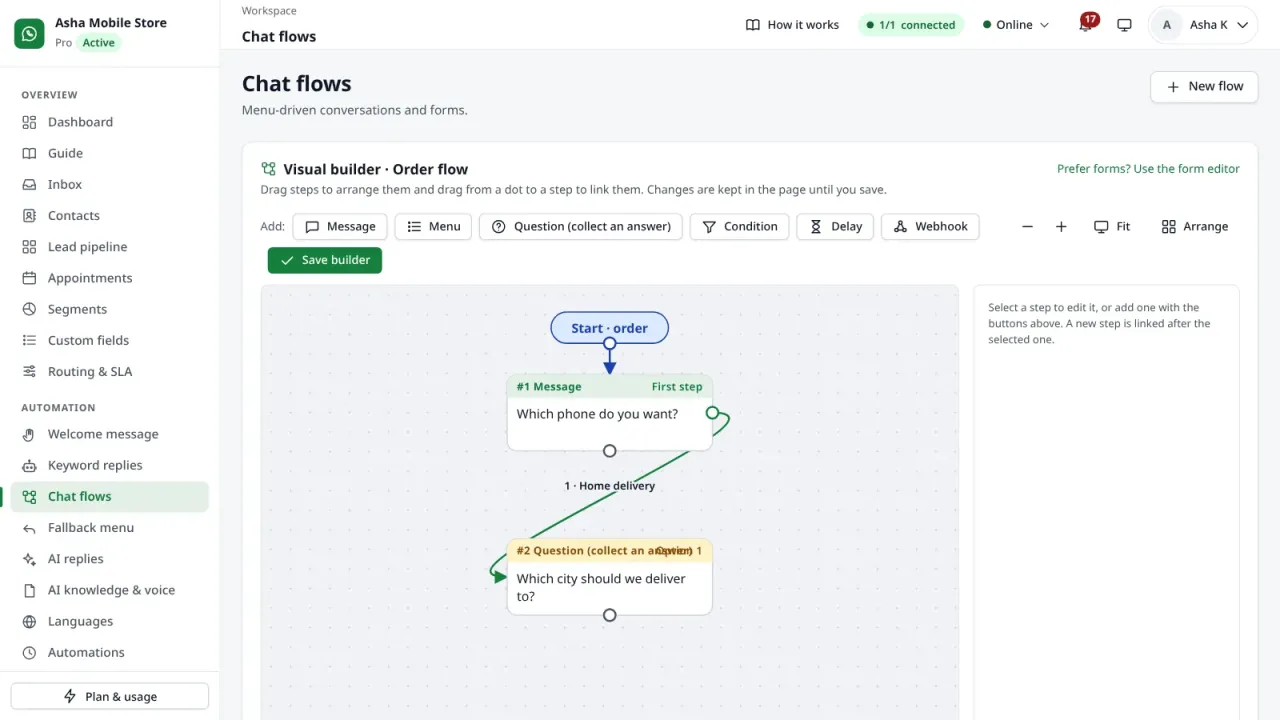
  • Visual chat-flow builder with questions, conditions, delays and webhooks
  • AI replies with Gemini, Claude or any OpenAI-compatible API, plus an AI knowledge base
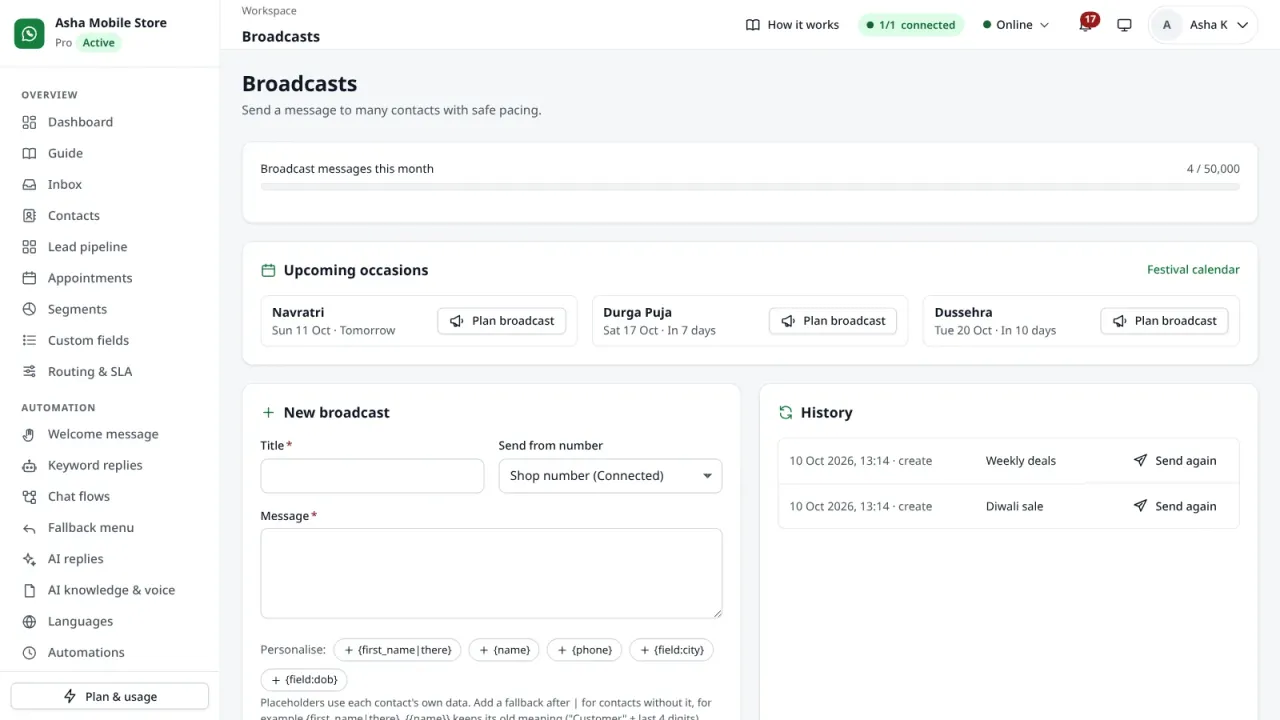
  • Broadcasts to tags and segments with A/B versions, spintax and delivery reports
  • Festival calendar with 33 occasions and a ready broadcast for each
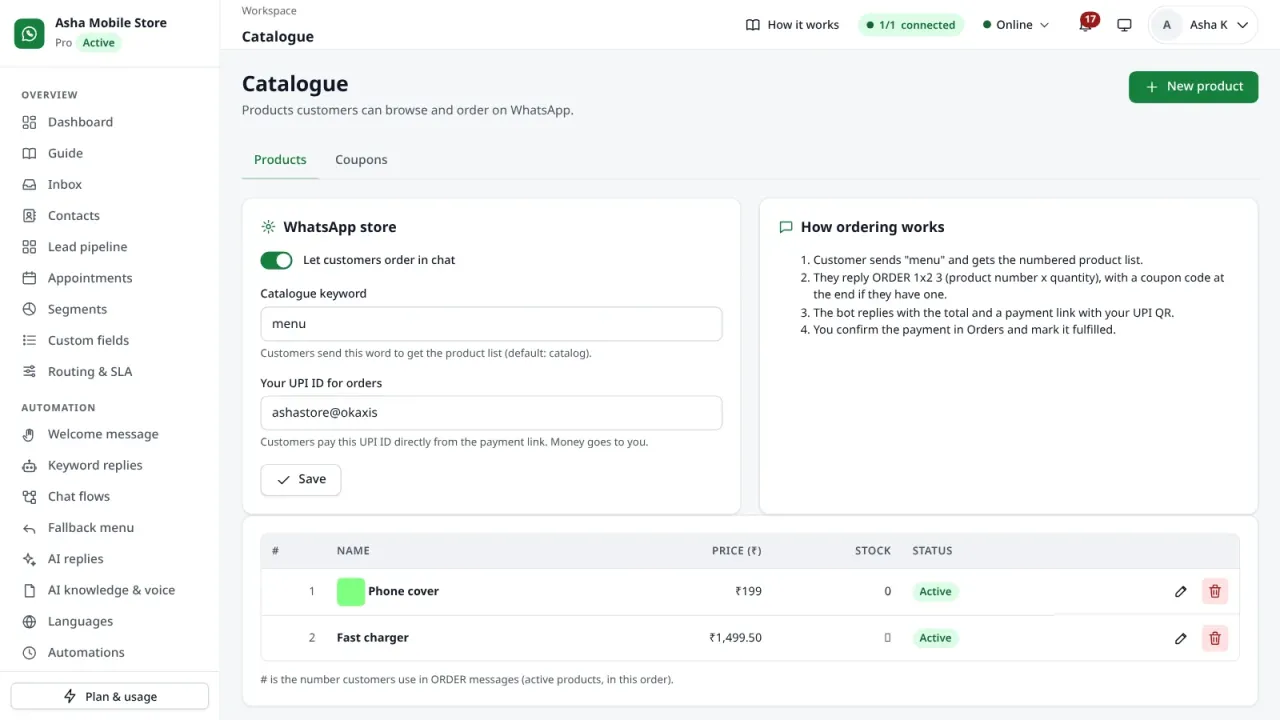
  • WhatsApp store: catalogue, orders and coupons in chat, with UPI payment links
  • Appointment booking in chat with reminders
  • Drip sequences, birthday wishes, follow-ups and CSAT surveys
  • Google review booster and an automatic reply to WhatsApp calls
  • CRM with tags, custom fields, segments, a lead pipeline and CSV/XLSX import
  • Consent history, opt-out keywords and DPDP data requests
  • Team seats, custom roles, passkeys and two-factor sign-in
  • REST API, signed webhooks, Zapier/Make hooks and Google Sheets sync
  • Super admin: plans and prices, PayU and UPI payments, GST invoices, coupons
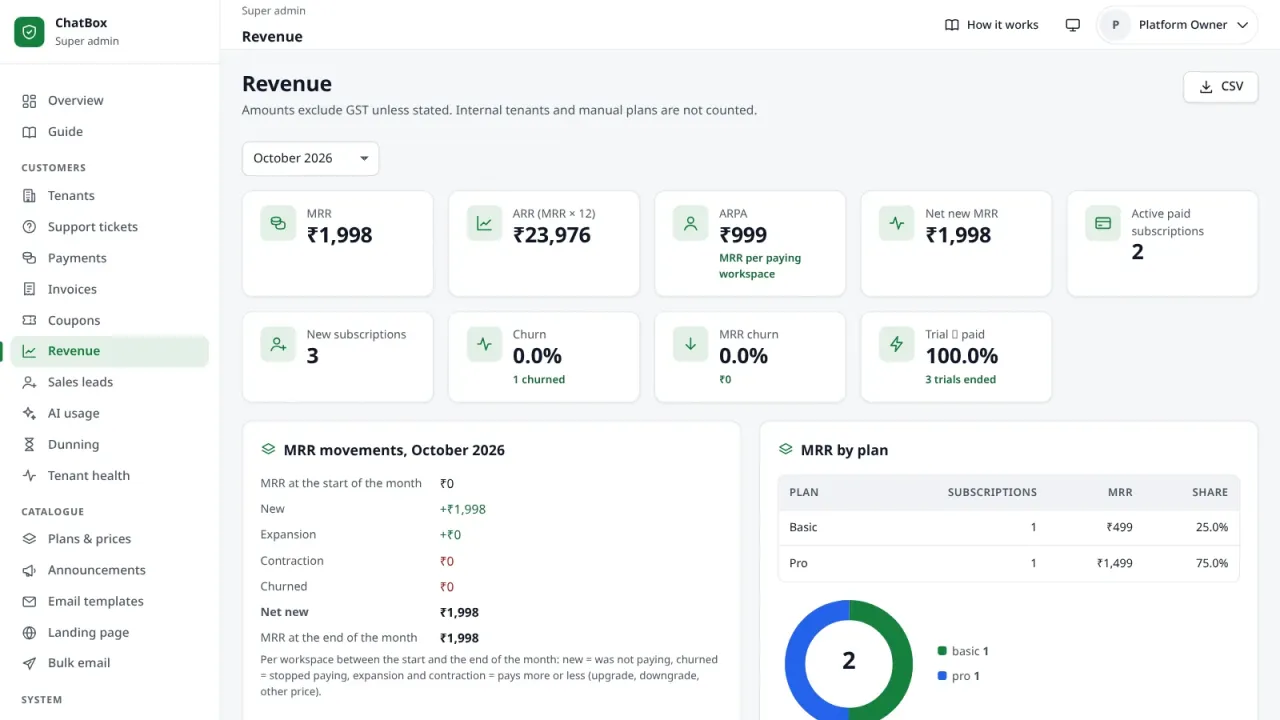
  • Revenue reports with MRR, ARR and churn, payment reminders and tenant health
  • Reseller white-label with custom domains and commission
  • Editable landing page and public pricing page included
  • cPanel setup and Node.js setup pages that check every hosting setting live
  • One cron line runs every job and keeps the bot running
  • Installable app (PWA) with push notifications, light and dark themes

What this is

ChatBox is a complete WhatsApp automation platform that you run as your own SaaS. Businesses sign up on your site, start a free trial, connect their WhatsApp numbers and run their customer chats from one panel: bots, a shared team inbox, broadcasts, a WhatsApp store and bookings. You run the platform from the super admin: plans and prices, payments by PayU or UPI, GST invoices, resellers and revenue reports.

It is written in PHP 8.1+ (pages, billing, cron jobs) with one Node.js 20 process that handles WhatsApp for every workspace, on MySQL 8. PHP needs no Composer packages, and the Node.js packages come inside the ZIP, so it uploads to cPanel without npm or SSH. The interface is in English, with light, dark and system themes.

What each business gets — the workspace panel

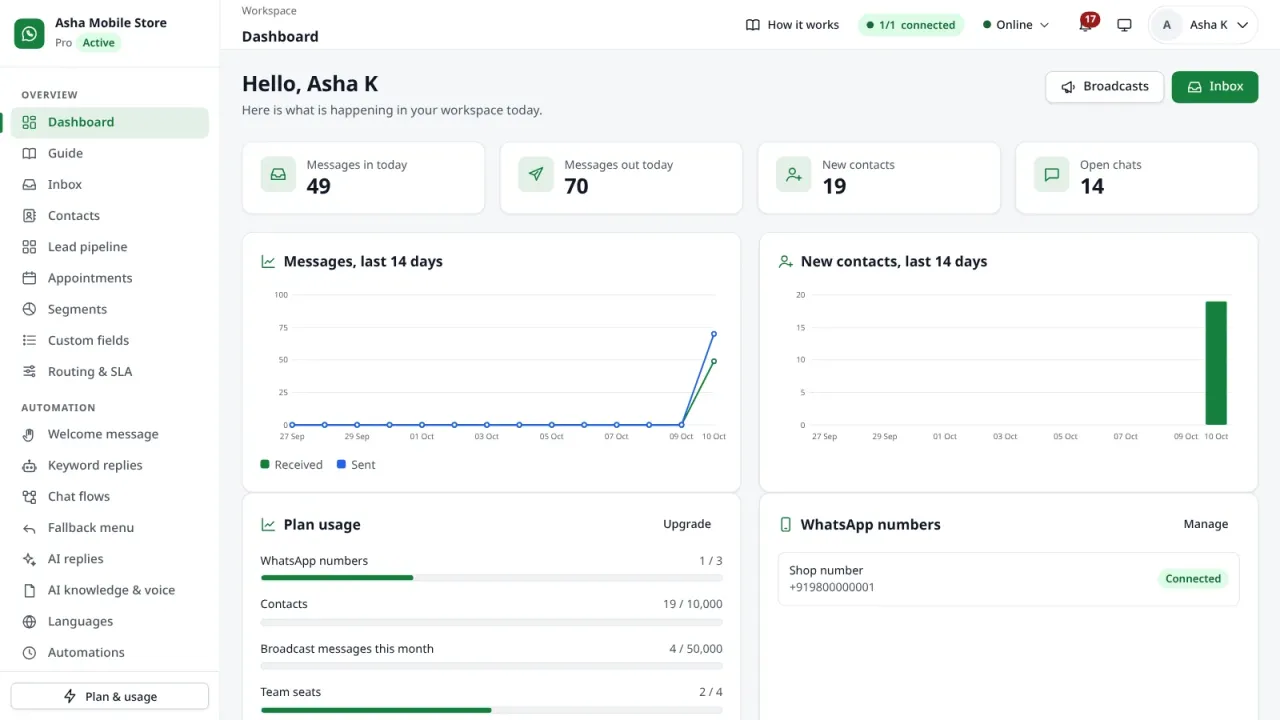
  • WhatsApp numbers connected by QR code, or official WhatsApp Cloud API numbers with Meta message templates.
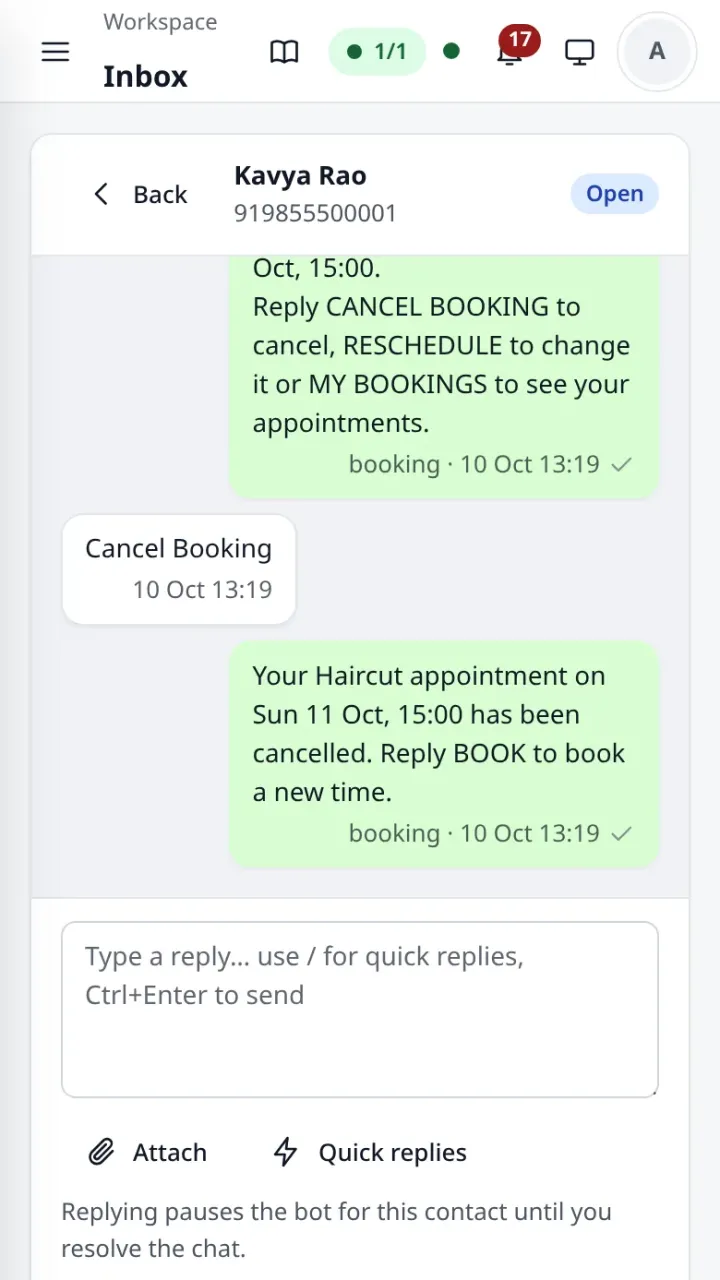
  • Shared inbox: assignment (round robin or least busy), a first-response SLA, quick replies with a "/" picker, internal notes, scheduled messages, and photos, documents, audio and video.
  • Bots without code: welcome messages, keyword replies with fuzzy matching for typos and Hinglish, a visual flow builder with question, condition, delay and webhook steps, a fallback menu and human handover.
  • AI replies with Gemini, Claude or any OpenAI-compatible API: replies in the customer's language, voice notes to text, and an AI knowledge base built from FAQs and documents.
  • Broadcasts to tags or segments with an audience preview, personal placeholders, spintax, A/B versions, recurring schedules, tracked links and delivered / read / replied reports — plus a festival calendar with 33 occasions and a ready broadcast for each.
  • Selling in chat: a product catalogue with orders and coupons in chat, UPI payment links, appointment booking with reminders and a Kanban lead pipeline.
  • Automation: drip sequences, birthday wishes, follow-ups, satisfaction (CSAT) surveys, a Google review booster and an automatic reply to WhatsApp calls on QR numbers.
  • CRM: contacts, tags, custom fields, saved segments, CSV/XLSX import, duplicate merge, a contact timeline, consent history, opt-out keywords and DPDP data requests.
  • Team and security: team seats, custom roles, passkeys and two-factor sign-in, an activity log.
  • Integrations: REST API keys, signed webhooks, Zapier and Make hooks, Google Sheets sync, a website chat widget and click-to-WhatsApp links with QR codes.

What you get as the platform owner — the super admin

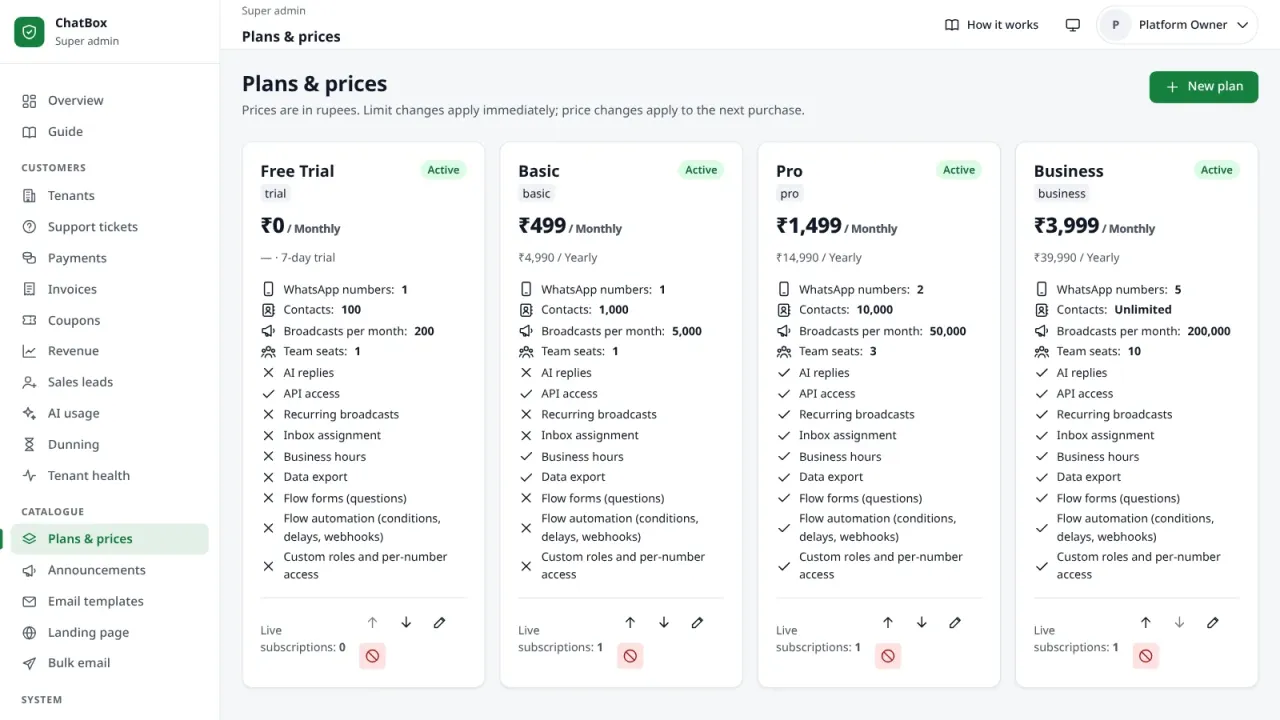
  • Plans and prices with limits and modules per plan, a free trial, yearly billing and coupons.
  • Payments by PayU and manual UPI review, GST invoices and automatic payment reminders (dunning).
  • Revenue: MRR, ARR, ARPA, churn and MRR movements, and tenant health with churn risk.
  • Tenants: search, a 360° page, module overrides and impersonation with an audit trail.
  • Reseller white-label with custom domains and commission.
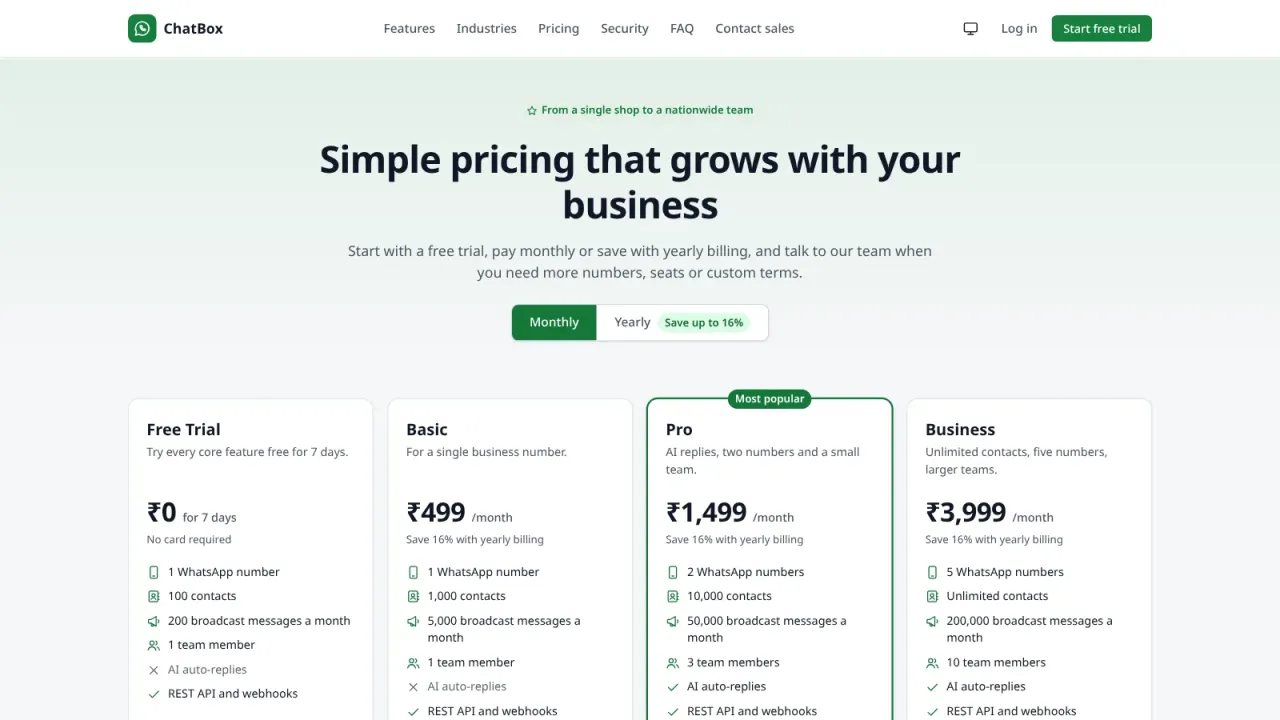
  • An editable landing page, a public pricing page and sales leads from "Contact sales / Book a demo".
  • Email templates, SMTP, announcements, maintenance mode and alerts on WhatsApp.
  • Health, logs, error logs and backups, also off-site to S3-compatible storage or Google Drive.

The plans your customers buy come pre-filled — Free Trial (7 days), Basic ₹499, Pro ₹1,499 and Business ₹3,999 a month — and you change names, prices and limits in Plans & prices.

Installation

Upload the ZIP to cPanel, create an empty MySQL 8 database and open the installer in your browser. It asks for a one-time setup token, which it writes into a file on your server for you to copy in cPanel File Manager, checks the requirements, creates the tables and your super admin account, and shows the one cron line to add (or the Terminal command that adds it for you). That single line runs every job and keeps the WhatsApp bot running.

In the super admin, cPanel setup checks 26 hosting settings live and Node.js setup walks through the bot in six steps; anything not yet green comes with the steps to fix it. A VPS with PM2 works too.

Please read before you buy

  • Your hosting must offer Node.js 20 and MySQL 8. MariaDB is not supported, and the host must allow the bot's Node.js process to run (for example cPanel on CloudLinux with Node.js 20, or a VPS). Ask your host if you are not sure.
  • QR numbers use WhatsApp's linked-devices (WhatsApp Web) protocol through the open-source Baileys library — not an official WhatsApp API. WhatsApp can restrict or ban numbers that send spam or bulk messages to people who did not ask for them. For marketing at scale use the official WhatsApp Cloud API numbers, which ChatBox supports, and message only contacts who opted in; the panel has opt-out keywords, consent records and a warm-up ramp for new numbers.
  • AI replies, the Cloud API, PayU, email and off-site backups run on your own accounts with those providers. Their charges are not included.

Updates

New versions arrive as a ZIP in your account during the free-update period. Install one with ChatBox's own update script from cPanel → Terminal: it keeps a copy of every file it replaces, runs the database migrations and puts everything back by itself if a step fails. Your settings file, uploads and the WhatsApp sessions are never touched.

Tested

Version 4.4.0 passed an end-to-end browser run through the installer and both panels (485 checks), and a build on PHP 8.1, Node.js 20 and MySQL 8 that installs it fresh, runs the cron line and starts the bot until WhatsApp sends a pairing QR.

What is included

  • Full source code — PHP and Node.js, nothing encoded or obfuscated
  • The cPanel release ZIP with the bot's node_modules for Node.js 20 included
  • Web installer with a one-time setup token, and a command-line installer
  • Database schema with 51 migrations and the starter price list
  • Guide pages in both panels that explain every feature step by step
  • README with set-up, cron, Node.js, payments, API, backup and troubleshooting guides
  • 6 months support
  • 12 months free updates

Server requirements

Check your hosting before you buy: the script needs everything listed here, except the items marked optional.

  • PHP 8.1 or newer, for the web and the command line
  • PHP extensions: pdo_mysql, openssl, mbstring, fileinfo, json, curl
  • Optional PHP extensions: zip (XLSX import, data export, updates) and zlib (gzip backups)
  • MySQL 8.0 — MariaDB is not supported
  • Node.js 20 for the WhatsApp bot, on a host that lets it run (cPanel on CloudLinux with Node.js 20, or a VPS)
  • Apache with mod_rewrite and HTTPS
  • PHP limits: upload 20 MB, post 24 MB, memory 256 MB, max execution time 120 s
  • One cron job every minute
  • About 120 MB of disk space for the files, plus your uploads and backups

Changelog

v4.5.1 current 12 Oct 2026
ChatBox 4.5.1.
Undo the last update: Super admin → Updates shows Undo the update to X (back to Y) after an update. With the password and a confirmation the cron line puts back the files of the version before the update, the bot stops and starts again, and the page shows the steps live. The database is not rolled back; the page names the database backup taken before the update for a manual restore.
The update from 4.5.0 to 4.5.1 can already be undone. An undo that is cut off is finished by the next one.
No database migrations and no new cron lines.
v4.5.0 12 Oct 2026
ChatBox 4.5.0.
One-click updates from this store: Super admin → Updates shows the newest version for this licence and the updates period, and says why nothing can be installed (updates period ended, not signed yet, licence problems, store not reachable). It replaces the GitHub update source.
The licence key (Updates → Licence) is needed only for one-click updates; nothing locks without it.
Every package is signed by the store and checked when the store answers and again on the downloaded file. A database backup is made before the files are replaced, and a step that fails puts the files of the previous version back by itself.
Updating from 4.4.x: once by hand with the chatbox.zip inside the download (the update script in the Terminal with the option --zip, see INSTALL.md, Updating) or by extracting it over the old files; every later version installs in one click.
No database migrations and no new cron lines.
v4.4.1 11 Oct 2026
ChatBox 4.4.1.
MIT License (LICENSE) and "Developer: ANSHU E-MITRA AND CSC CENTER" on the public pages, under the sign-in forms, in both panels and in the installer. A reseller's white-label domain shows only its own brand.
The download is now a folder chatbox/ with chatbox.zip (the release package: upload this to the hosting), how-install.md, README.md, CHANGELOG.md and LICENSE.
No database migrations and no new cron lines.
v4.4.0 09 Oct 2026
ChatBox 4.4.0.
New in 4.4: spintax in broadcasts and automations, a Google review booster, an automatic reply to WhatsApp calls on QR numbers, scheduled messages from the inbox, a festival calendar with 33 occasions, store coupons in the chat order, and the daily digest and alerts on WhatsApp.
Database migrations 048–051 (additive), no new cron lines.

Licence — what you may do

What you can do Regular Extended
Use it on one website of your own
Modify the code
Earn from ads or subscriptions
Deploy it for a client and charge them
Resell the script as-is

The full terms are in the Licence Agreement.

Reviews

No reviews yet.

Only verified buyers can review a script, so this section stays empty until someone who actually bought it writes something. If that is you, the form is below.

Write a review

Use the email address you bought this script with — we check it against your order so every review here is from a real buyer.

Your rating *

FAQ

How soon do I get the script after paying?
Immediately. The moment PhonePe or PayU confirms your payment (UPI, card, netbanking or wallet), the download link and licence key appear on screen and are emailed to you as well — usually within seconds.
Is the source code encrypted?
No. You get the complete, readable source code — no ionCube and no obfuscation. You can change the design, the text and the features however you like.
How many websites can I use one licence on?
A Regular licence covers one domain, plus localhost and one staging subdomain for testing. If you want to build several websites, or build sites for clients and charge them, buy an Extended licence.
Will you install it for me?
Yes. Select the installation service add-on at checkout and we will install, configure and test the script on your hosting within 24–48 hours. You can also do it yourself by following the guide — it takes about 15–20 minutes.
How long does support last?
You get 6 months of free technical support covering installation issues, bugs and configuration help. After that you can renew support if you want to, and bug fixes are always free.
Do I have to pay extra for updates?
No. You get 12 months of free updates. When a new version ships it becomes available in your account automatically — the same download link gives you the latest ZIP.
What is your refund policy?
Because this is a digital product, refunds are not possible after download. However, if the script does not deliver an advertised feature or simply will not install, and we cannot fix it within 7 days, you get a full refund. Read the details in our Refund Policy.
Can I resell the script to my clients?
Not with a Regular licence — you may not resell the script as-is. If you want to build a website for a client, buy an Extended licence, which lets you deploy it for one end client and charge them for your work.

You may also like

All scripts
₹999 ₹14,999
Buy now