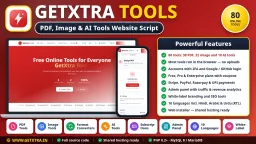
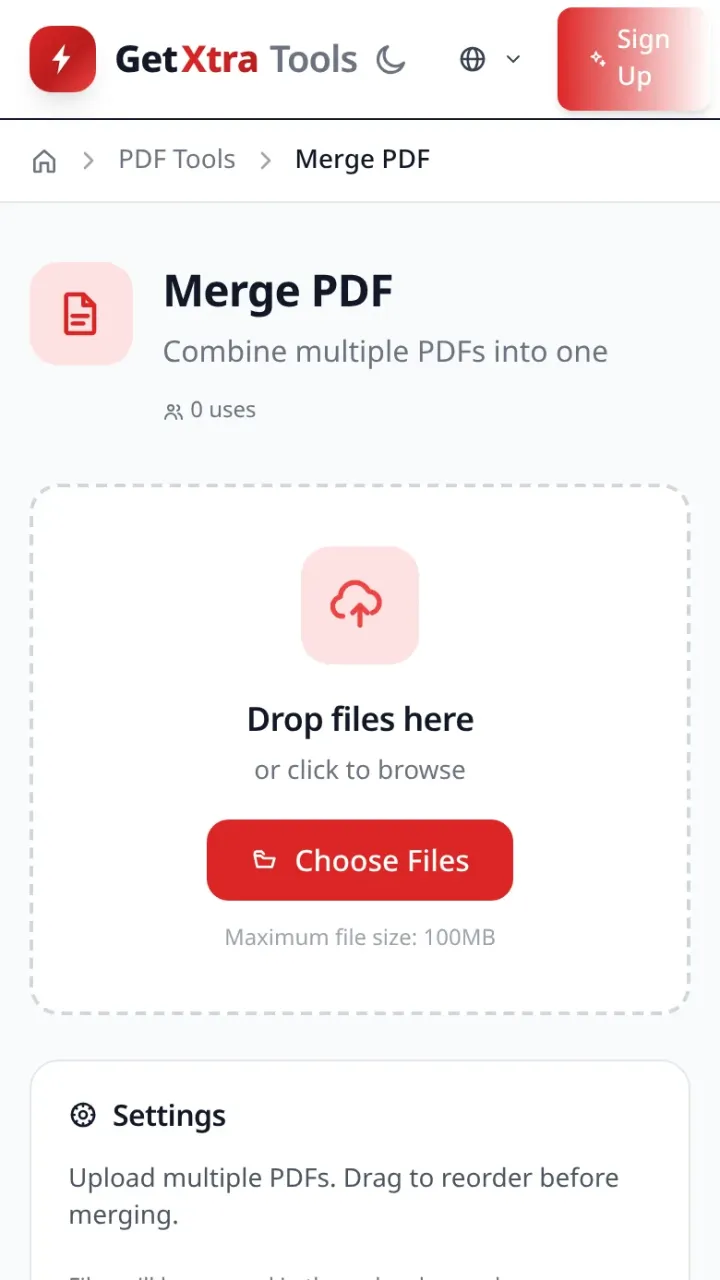
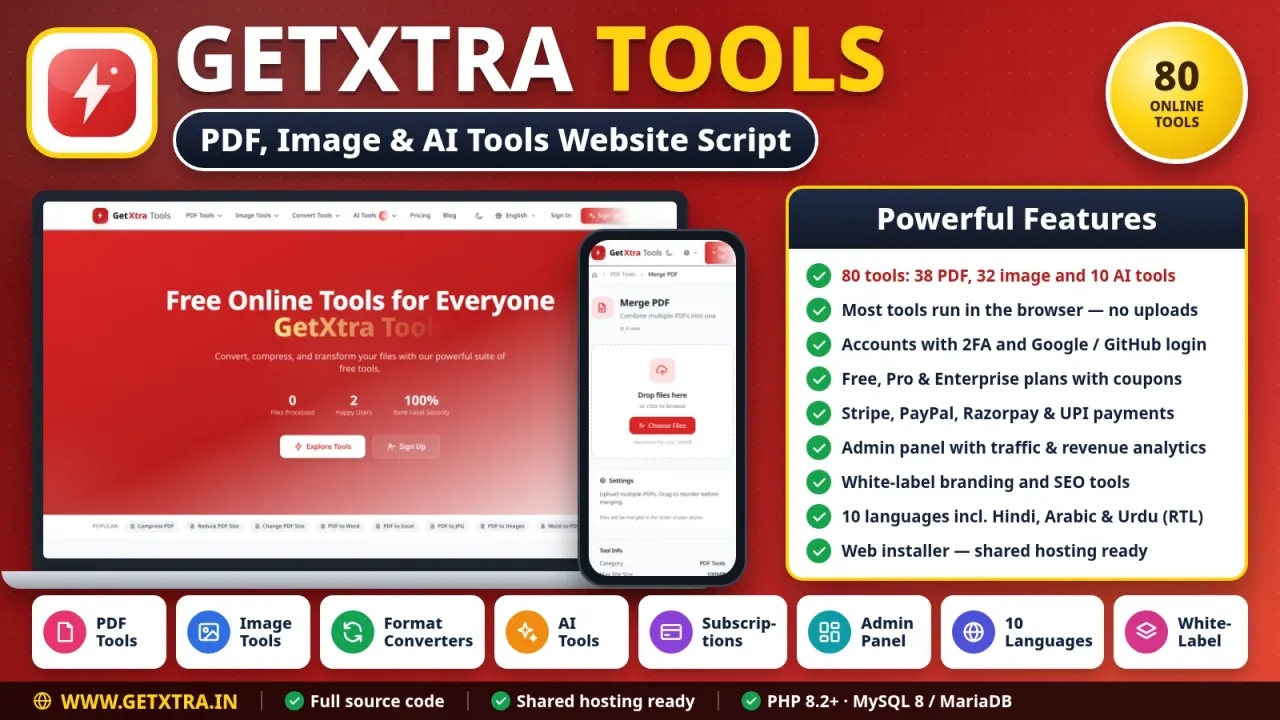
A complete, self-hosted online tools website in plain PHP 8.2 with 80 PDF, image and AI tools. Most tools run in the visitor's browser, so files are not uploaded and processing costs you nothing. It comes with accounts and two-factor sign-in, Free, Pro and Enterprise plans with Stripe, PayPal, Razorpay and UPI, an admin panel with analytics and white-label branding, SEO tools and 10 languages. A web installer sets it up on shared hosting.
Features
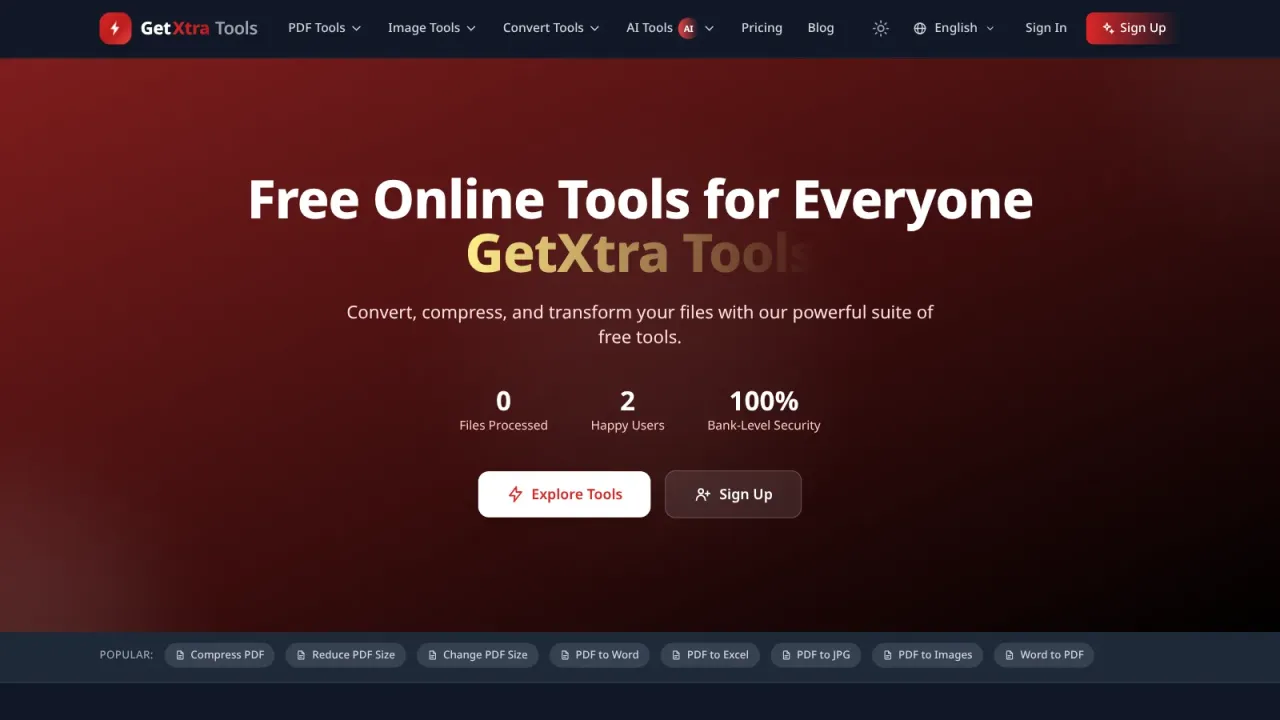
80 online tools: 38 PDF, 32 image and 10 AI tools
Most tools run in the visitor's browser, so files are not uploaded to your server
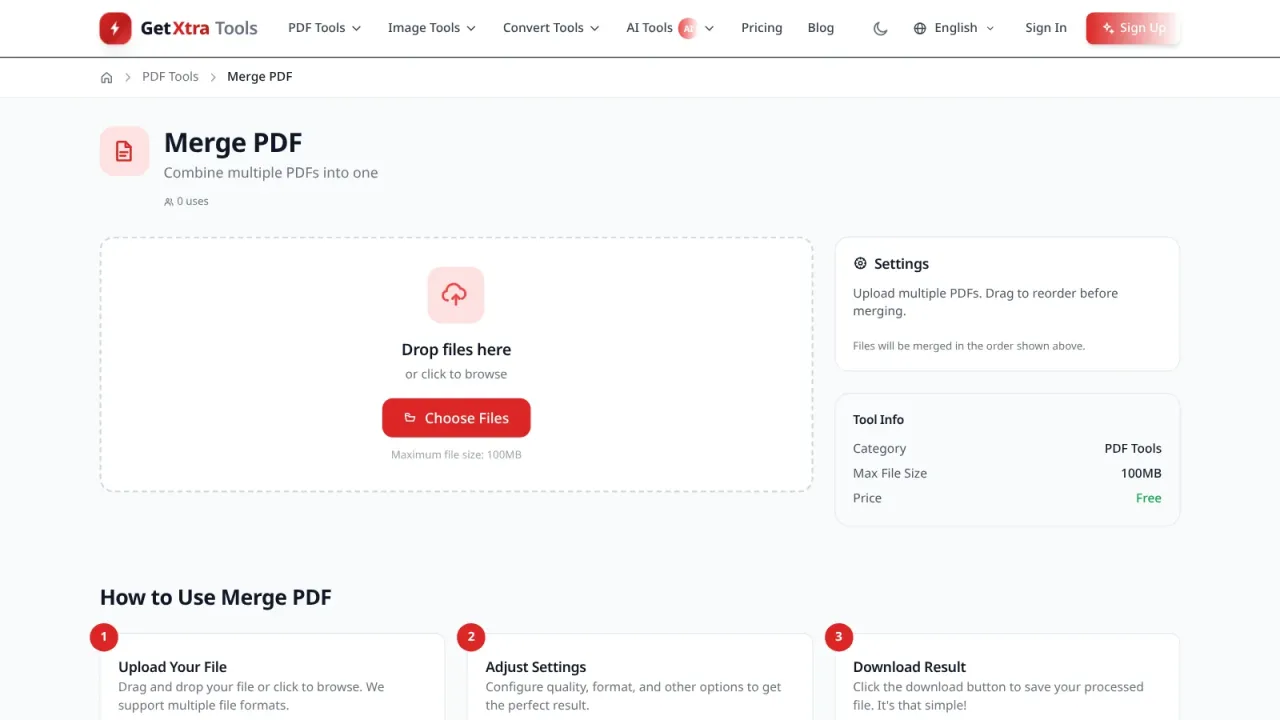
PDF tools: merge, split, compress, sign, edit, OCR and conversion to and from Word, Excel, PowerPoint and JPG
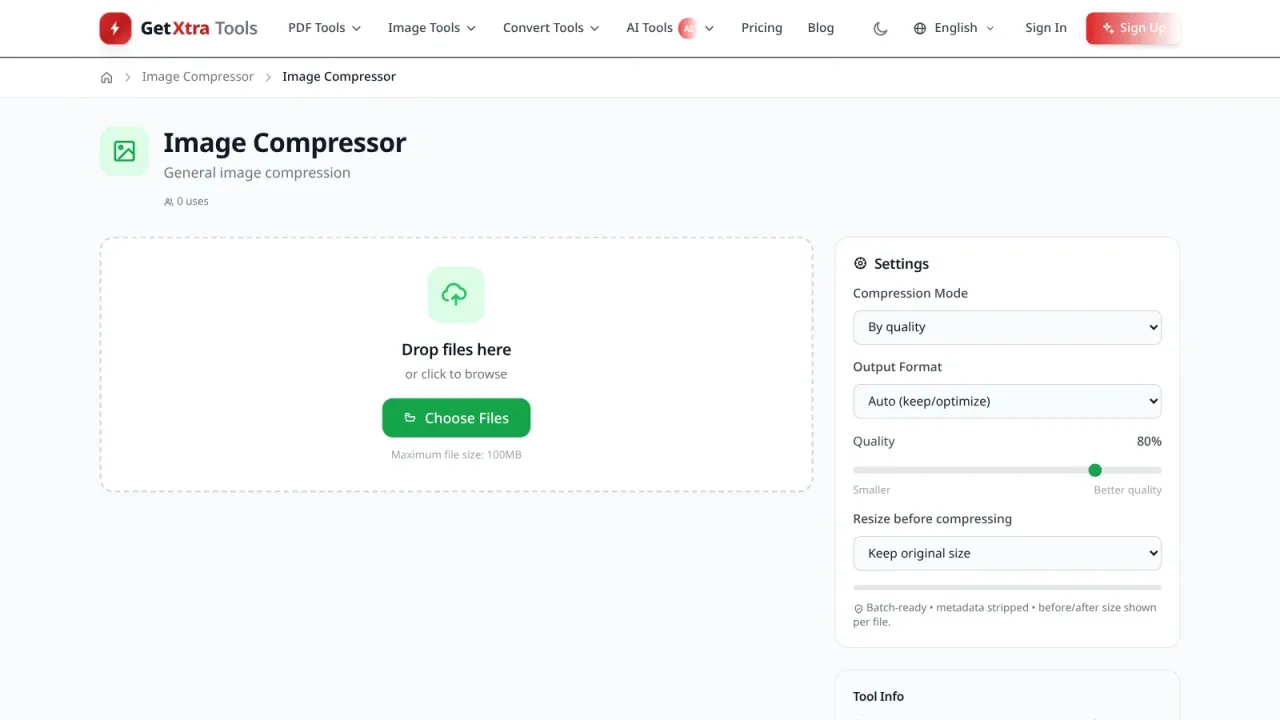
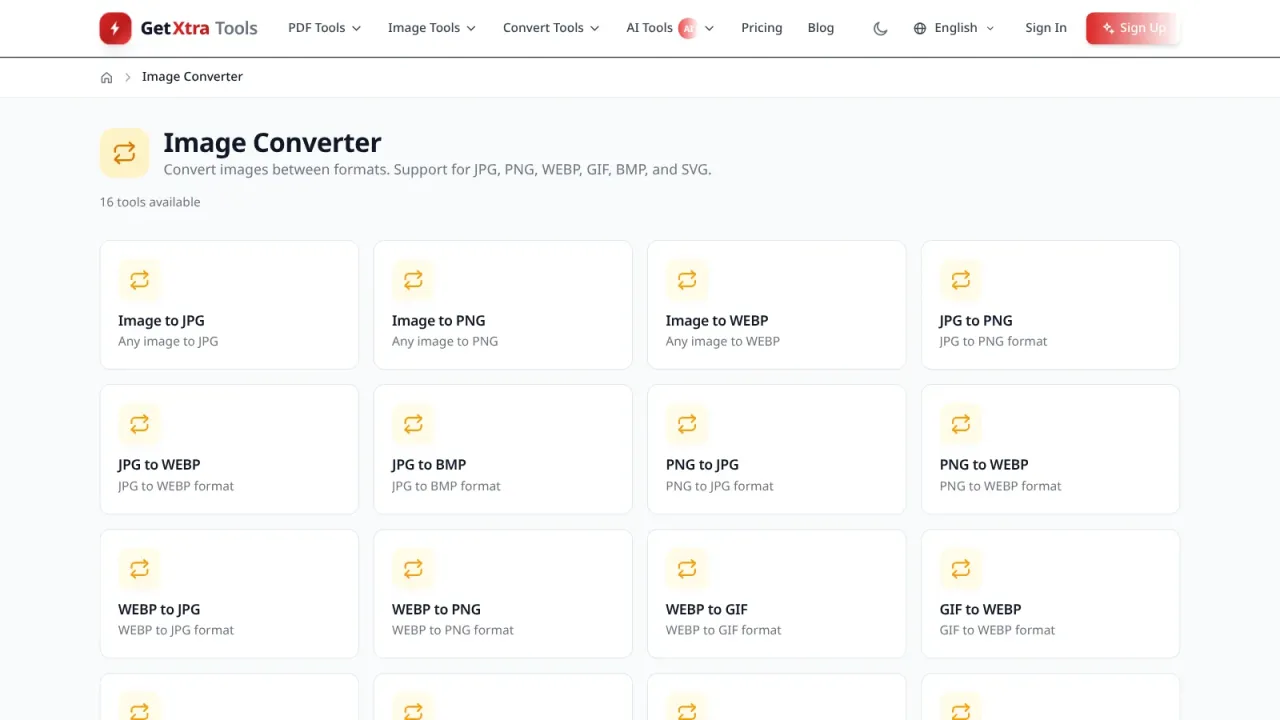
Image tools: compress with quality control or to 50 KB and 25 KB, resize, crop, watermark and 16 format converters
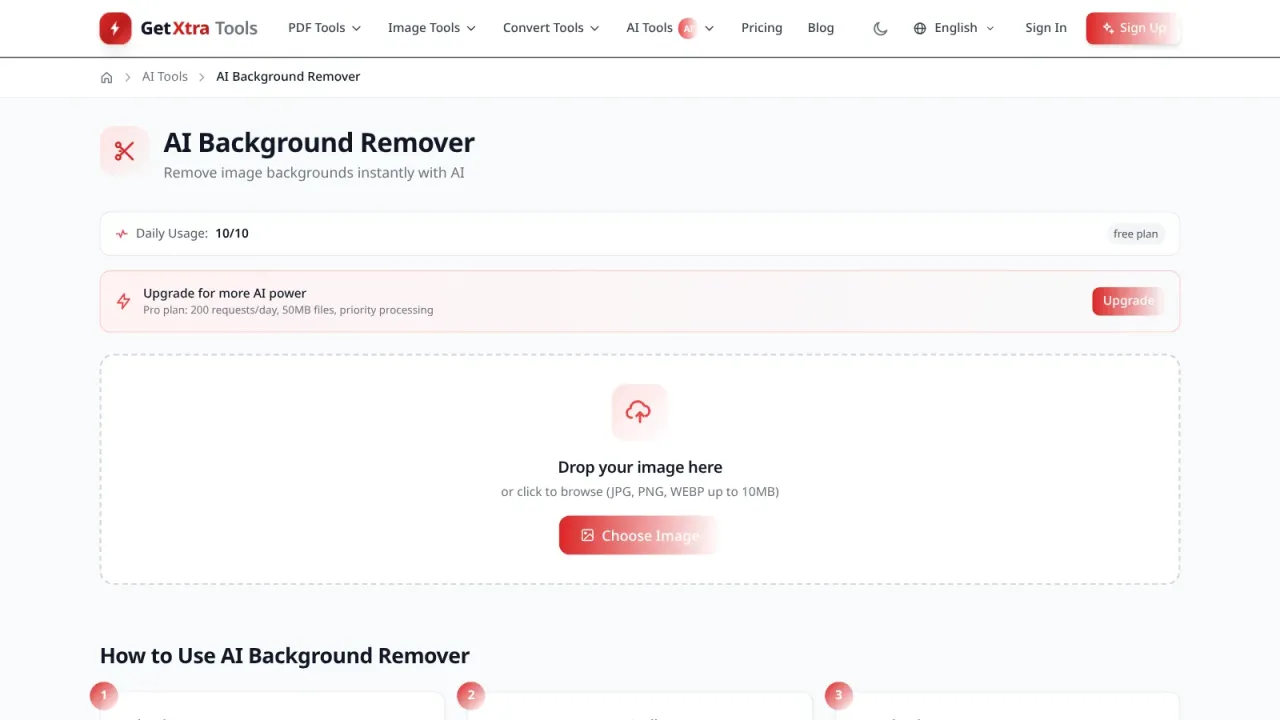
On-device AI tools: background remover, upscaler, enhancer, object remover and more, with no API key
User accounts with e-mail verification, Google or GitHub sign-in and two-factor authentication
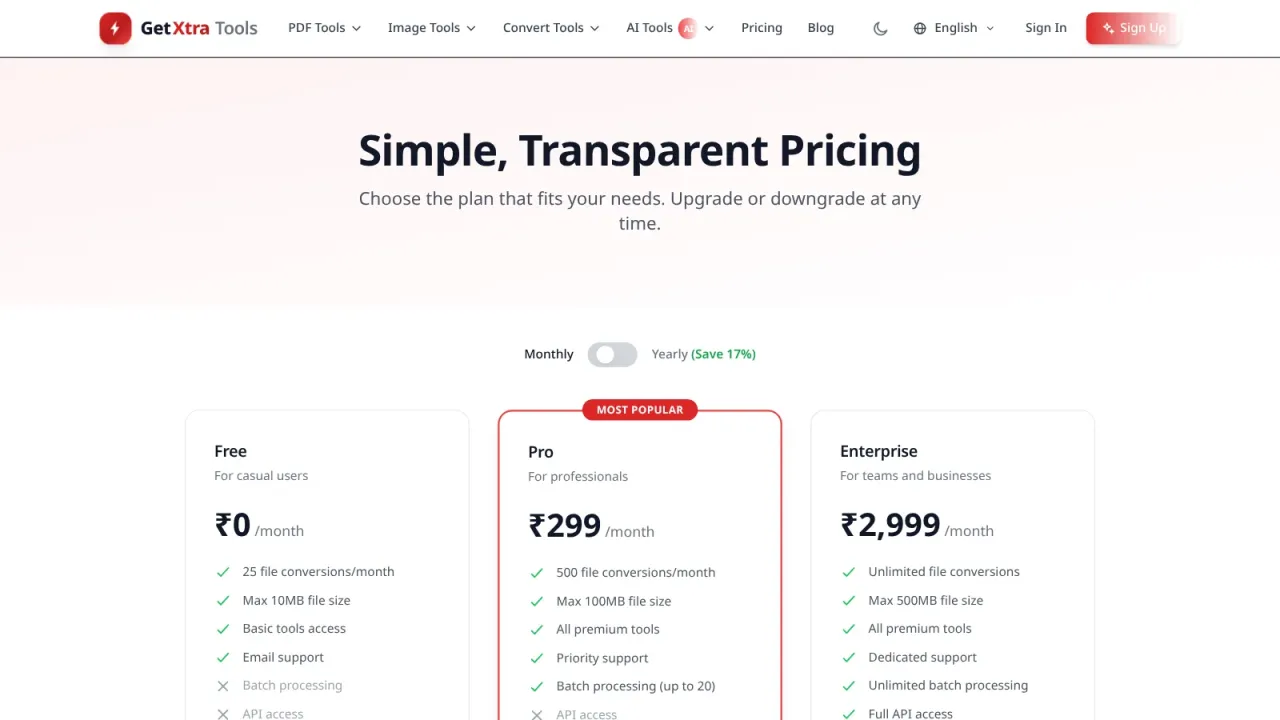
Free, Pro and Enterprise plans, monthly and yearly, with coupons
Stripe, PayPal, Razorpay and UPI payments with signature-checked webhooks
Premium-only tools, AdSense ad slots and an affiliate programme
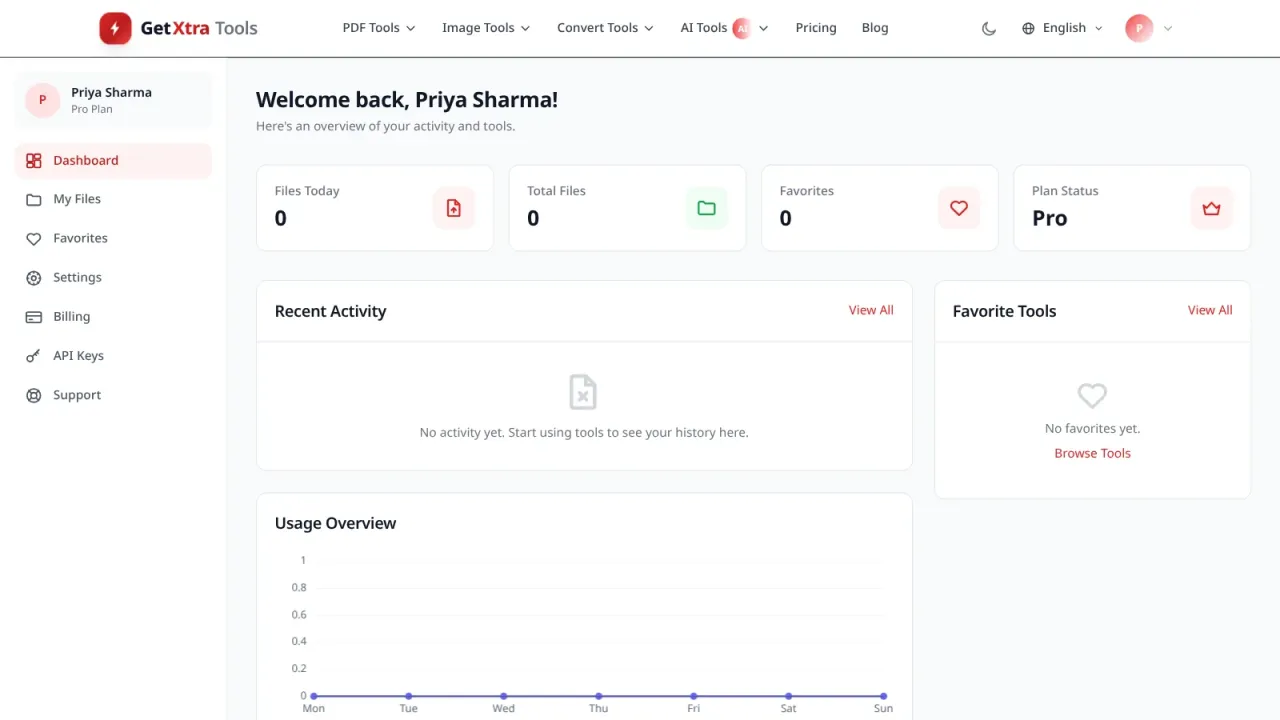
User dashboard with favourites, file history, teams, support tickets and API keys
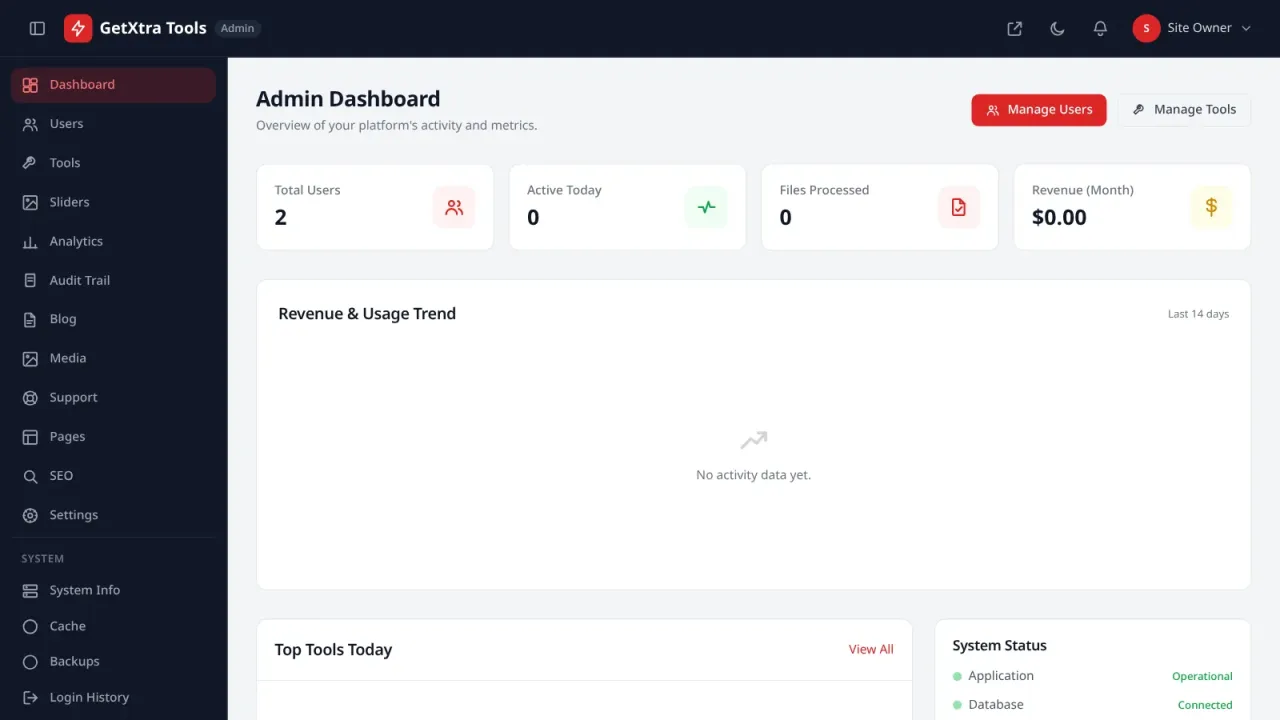
Admin panel for users, tools, coupons, affiliates, blog, pages, slider and e-mail broadcasts
Traffic, user, tool and revenue analytics
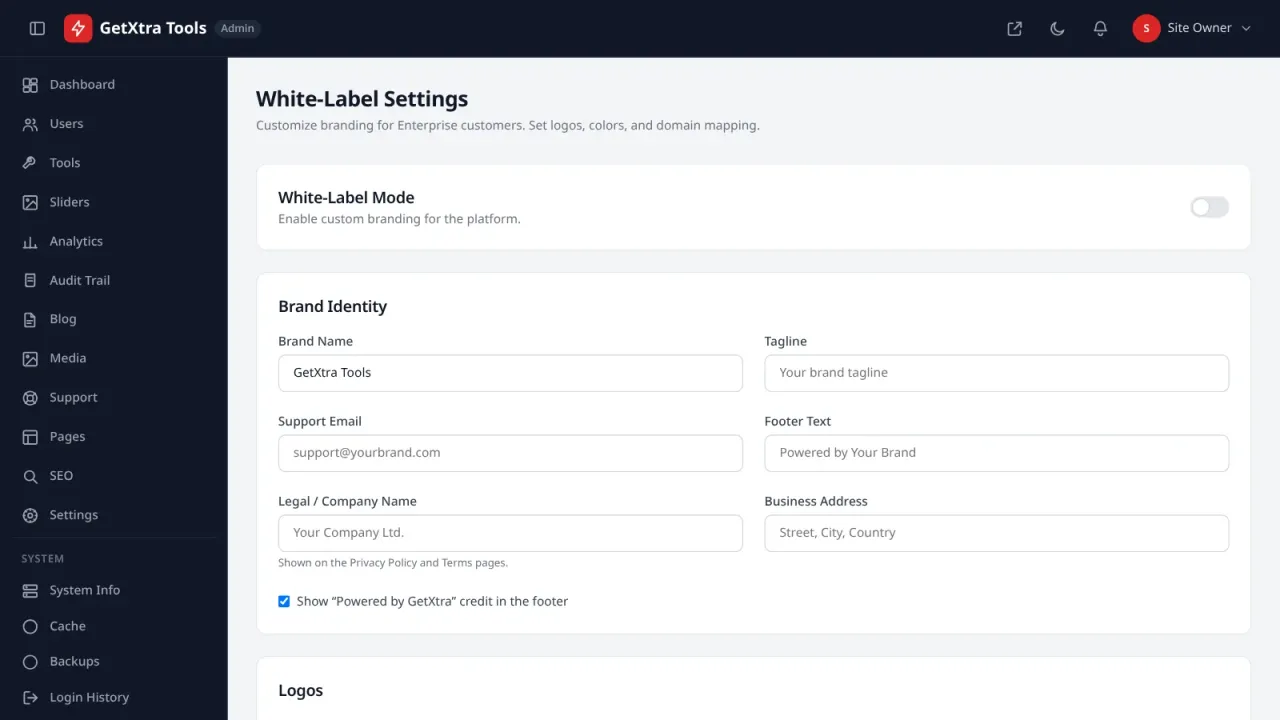
White-label branding: name, logo, colours and custom CSS
SEO: meta tags for every tool, structured data, XML sitemap and hreflang
10 languages, including Hindi, Arabic and Urdu (right to left)
Security: CSRF protection, rate limiting, bcrypt passwords, strict security headers and an IP block list
Backups, cache, audit log and system health in the admin panel
One-click updates from this store, with a digital signature check, a backup first and Undo
Dark mode and a mobile-friendly design
Web installer: works on shared hosting, no command line needed
What this is
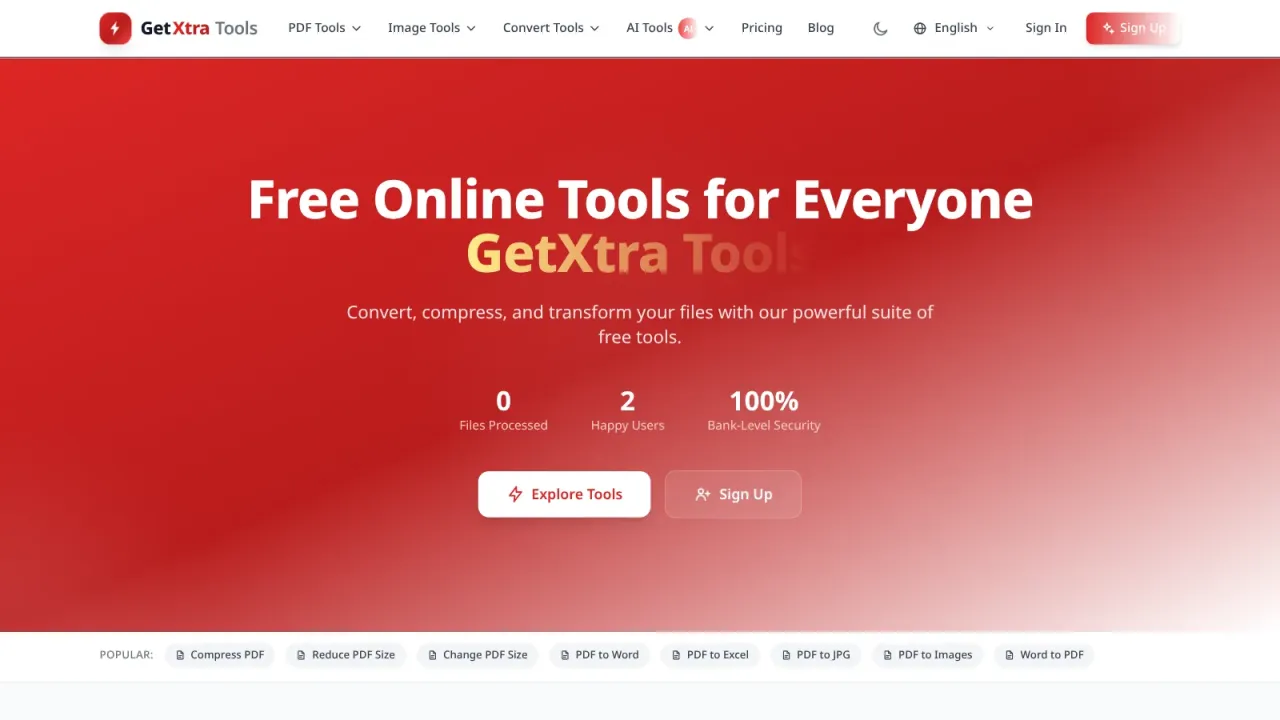
GetXtra Tools is a complete, self-hosted online tools website: 38 PDF tools, 32 image tools and 10 AI tools, with user accounts, subscription plans, an admin panel and 10 languages. Install it with the web installer, add your logo and payment keys, and run your own PDF and image tools website under your own brand.
Most tools run in the visitor's browser: files are not uploaded to your server, processing costs you nothing, and there are no API keys or per-use fees.
The tools
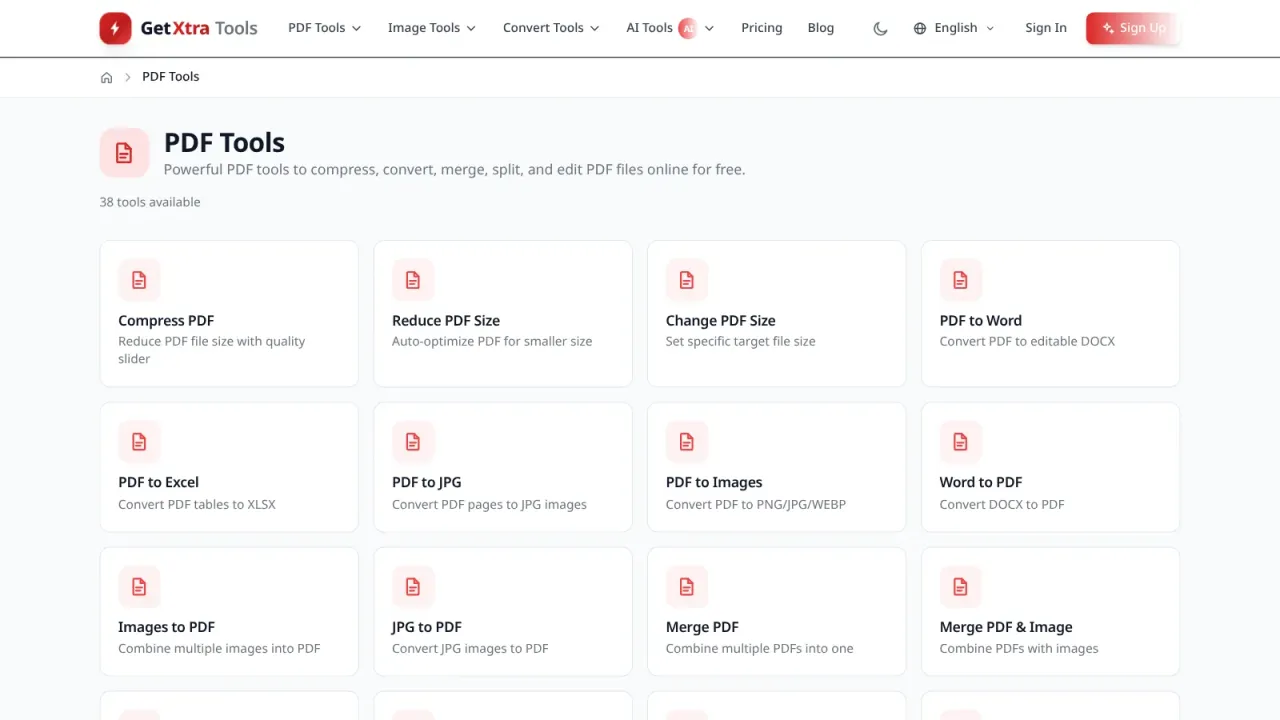
PDF (38): merge, split, compress, reduce size, change page size, crop, rotate, organize, remove and extract pages, extract images, page numbers, watermark, protect and unlock, editor, form filler, sign, annotate, redact, flatten, compare, OCR, metadata, bookmarks, linearize and repair, plus conversion between PDF and Word, Excel, PowerPoint and JPG in both directions.
Images (32): compress with quality control or to 50 KB and 25 KB, resize, crop, merge, rotate, flip, add text or a watermark, extract colours, and 16 converters between JPG, PNG, WEBP, GIF, SVG and BMP.
AI (10): background remover, upscaler, enhancer, object remover, face retoucher, colorize, OCR, image to prompt, art generator and document summarizer.
Make money from it
Free, Pro and Enterprise plans with monthly and yearly billing, and coupons.
Payments by Stripe (recurring subscriptions), PayPal, Razorpay and UPI, with signature-checked webhooks.
Premium-only tools, Google AdSense slots that can be hidden for paying users, and an affiliate programme.
Plans expire and renew on their own through one cron job.
For your users
Sign-up with e-mail verification, password reset, optional Google or GitHub sign-in and two-factor authentication.
A dashboard with favourites, file history, billing history, teams and support tickets.
API keys for a read-only REST API of the tool catalogue.
Admin panel
Users, tools (on or off, SEO texts, FAQ, premium flag), coupons and affiliates.
Traffic, user, tool and revenue analytics.
Blog, pages, home page slider, e-mail templates and broadcast e-mails, and a support desk.
Translations editor, SEO manager, white-label branding (name, logo, colours and custom CSS), database backups, cache, audit log and system health.
SEO and languages
Meta titles and descriptions for every tool, structured data, an XML sitemap and hreflang tags.
English, Hindi, Arabic and Urdu (right to left), Spanish, French, German, Portuguese, Japanese and Chinese.
Installation
Upload the ZIP to the root of a domain or subdomain, create an empty MySQL database and open the site in your browser. The web installer checks the requirements, sets up the database, saves your settings and creates your admin account, then locks itself. The HTML guide in the ZIP covers cPanel and VPS set-up, the payment gateways, the cron job, e-mail and troubleshooting. It runs on shared hosting, with no Composer, Node.js or command line needed.
Please read before you buy
The AI tools are image-processing algorithms that run in the browser, not cloud AI models. They need no API key and cost nothing per use, and they work best on everyday photos.
The PDF and image tools load open-source libraries (pdf-lib, PDF.js, JSZip, Cropper.js, SheetJS, PptxGenJS and Tesseract.js) from the jsDelivr CDN, so visitors need a modern browser and an internet connection.
The payment gateway, e-mail and Google or GitHub sign-in accounts are your own; their charges are not included.
What is included
Full source code — custom lightweight PHP MVC, nothing encoded
Web installer that sets up the database and your admin account
Step-by-step HTML guide: cPanel and VPS set-up, payment gateways, cron, e-mail and troubleshooting
Translations for 10 languages
6 months support
12 months free updates
Server requirements
Check your hosting before you buy: the script needs everything listed here, except the items marked optional.
Requires PHP 8.2 or newer with pdo_mysql, mbstring, curl, openssl, fileinfo, json, gd, zip and intl
Database: MySQL 8.0+ or MariaDB 10.6+
Web server: Apache with mod_rewrite, or Nginx
HTTPS, which most payment gateways need
One cron job for plan expiry and renewals
Runs on the root of a domain or subdomain
Visitors need a modern browser (Chrome, Firefox, Safari or Edge) and an internet connection
Changelog
v1.1.0current12 Oct 2026
GetXtra Tools 1.1.0.
One-click updates from this store under Admin → Updates: the installed version, the newest version for your licence and your updates period, and an update in five checked steps (download and signature check, a backup of the database and the changed files, install, database update, check). Undo puts the previous version back; an unfinished update can be discarded. Visitors see a short updating page for about a minute.
Admin → Licence activates, checks and deactivates your licence key. The key is needed only for one-click updates; nothing else is locked without it.
The settings file, the storage folder and the uploads are never touched by an update; an edited web server rules file or translation stays, and the new one is saved beside it.
No changes to tables. Sites on 1.0.x install 1.1.0 by hand once (how-install.md, One-click updates); every later version installs from Admin → Updates.
v1.0.111 Oct 2026
GetXtra Tools 1.0.1.
MIT License (LICENSE) and "Developer: ANSHU E-MITRA AND CSC CENTER" in the admin panel, the user dashboard, the sign-in pages and the installer. In the public footer it replaces "Powered by GetXtra" and follows the same white-label switch.
The download is now a folder getxtra-tools/ with getxtra-tools.zip (upload this to the hosting), how-install.md, README.md, CHANGELOG.md and LICENSE.
No database changes.
v1.0.027 Sep 2026
GetXtra Tools 1.0.0, the first release.
80 tools (38 PDF, 32 image, 10 AI), accounts with two-factor sign-in, Free, Pro and Enterprise plans with Stripe, PayPal, Razorpay and UPI, an admin panel with analytics and white-label branding, 10 languages and a web installer.
Only verified buyers can review a script, so this section stays empty until someone who
actually bought it writes something. If that is you, the form is below.
Write a review
FAQ
How soon do I get the script after paying?
Immediately. The moment PhonePe or PayU confirms your payment (UPI, card, netbanking or wallet), the download link and licence key appear on screen and are emailed to you as well — usually within seconds.
Is the source code encrypted?
No. You get the complete, readable source code — no ionCube and no obfuscation. You can change the design, the text and the features however you like.
How many websites can I use one licence on?
A Regular licence covers one domain, plus localhost and one staging subdomain for testing. If you want to build several websites, or build sites for clients and charge them, buy an Extended licence.
Will you install it for me?
Yes. Select the installation service add-on at checkout and we will install, configure and test the script on your hosting within 24–48 hours. You can also do it yourself by following the guide — it takes about 15–20 minutes.
How long does support last?
You get 6 months of free technical support covering installation issues, bugs and configuration help. After that you can renew support if you want to, and bug fixes are always free.
Do I have to pay extra for updates?
No. You get 12 months of free updates. When a new version ships it becomes available in your account automatically — the same download link gives you the latest ZIP.
What is your refund policy?
Because this is a digital product, refunds are not possible after download. However, if the script does not deliver an advertised feature or simply will not install, and we cannot fix it within 7 days, you get a full refund. Read the details in our Refund Policy.
Can I resell the script to my clients?
Not with a Regular licence — you may not resell the script as-is. If you want to build a website for a client, buy an Extended licence, which lets you deploy it for one end client and charge them for your work.


 92% off
 New
93% off
New
93% off
 New
90% off
New
90% off